
HELP DESK SOFTWARE · PRICING GUIDE · 2027
Help Desk Software Pricing in 2027: What Will You Really Pay?
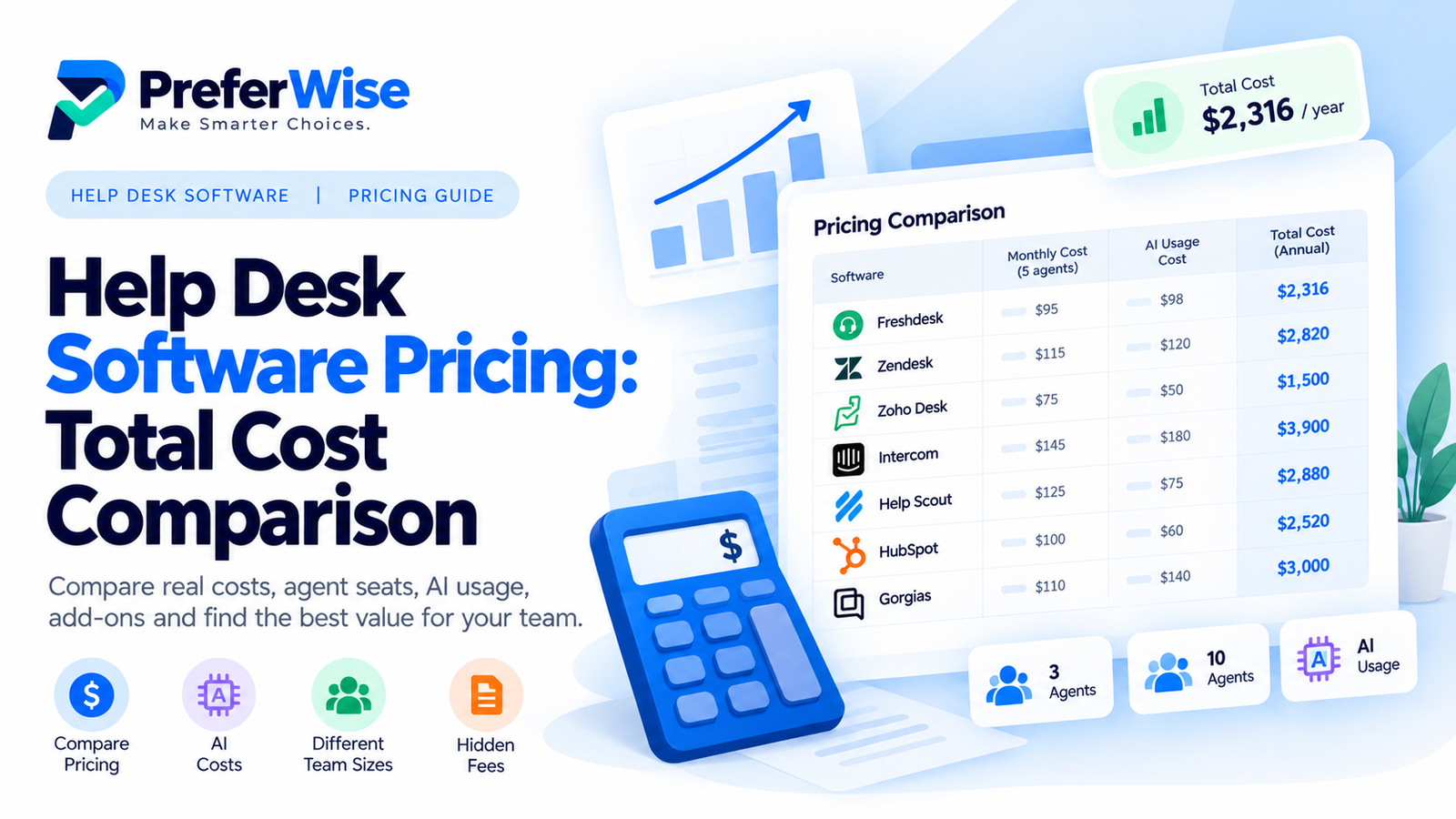
A help desk that advertises a low starting price can become much more expensive once you add agent seats, AI resolutions, advanced workflows, integrations and the plan features your team actually needs. This guide compares the cost models and shows you how to estimate your real bill.
Prices and plan limits can change. Figures below reflect the official pricing pages linked in this guide when checked. Confirm your exact configuration, billing cycle, region and taxes before purchasing.
Help desk software pricing: a quick comparison
The following table compares representative published prices and billing models. These are not perfectly equivalent plans: features, included usage and seat limits differ. Use it to shortlist products, then compare the specific plan that meets your requirements.
| Software | Published price reference | Main cost model | Cost detail to check | Official pricing |
|---|---|---|---|---|
| Freshdesk | $19 / agent / month | Per agent | Plan tier and additional Freddy AI Agent sessions | View pricing ↗ |
| Zendesk | $19 / agent / month | Per agent | Suite features, add-ons and usage-based capabilities | View pricing ↗ |
| Zoho Desk | Free edition available; paid plans vary by edition and region | Per user | Required edition, AI features, channels and user limits | View pricing ↗ |
| Intercom | $29 / seat / month for Essential on annual billing | Per seat plus usage charges | Fin AI usage and messaging-related charges | View pricing ↗ |
| Help Scout | $25 / user / month for Standard | Per user plus selected usage | AI Answers resolutions, inboxes and plan limits | View pricing ↗ |
| HubSpot Service Hub | Starter advertised from $20 / seat / month on annual billing; promotional or regional displays may differ | Plan and seat based | Seat type, onboarding fees, credits and required plan | View pricing ↗ |
| Gorgias | Pricing varies by ticket-volume plan | Ticket volume plus AI usage | Monthly ticket allowance, AI resolutions and channel add-ons | View pricing ↗ |
Price references are not a like-for-like ranking. Annual-billing prices, promotional rates, currency selection, regional availability and plan eligibility can affect the amount charged. Some vendors display prices dynamically. Check the linked vendor page for the exact offer available to your business.
The cheapest advertised plan is not automatically the cheapest solution for your team. Compare the least expensive plan that includes the features you need, then add expected usage charges and any required fees.
How help desk software pricing works
1. Per-agent or per-seat pricing
With seat-based pricing, you pay for the number of support representatives who need access to the platform. The basic calculation is:
A $19-per-agent plan costs $57 per month for three agents or $190 per month for ten agents, before taxes and extras. However, the calculation is only useful if that plan includes the capabilities your team needs. Upgrading to a more advanced tier can change the total substantially.
2. Usage-based pricing
Some features are billed according to activity rather than the number of employees. Common examples include AI resolutions, automated conversations, messages, voice usage or other metered actions. Your monthly total can therefore vary even when your team size stays the same.
3. Ticket-volume pricing
Certain support platforms package pricing around monthly ticket or conversation volume. Gorgias, for example, describes plans that scale with ticket volume rather than simply charging per agent. For these products, estimate your normal volume and your busiest month before selecting a tier.
4. Feature-tier pricing
A low-cost plan may cover email ticketing but not the automation, reporting, service-level agreements, advanced permissions, channels or integrations your operation requires. The relevant comparison is the lowest plan that satisfies your requirements—not necessarily the entry plan advertised on the homepage.
5. Annual versus monthly billing
Annual commitments often reduce the equivalent monthly price, but they also require a larger commitment upfront and can make it harder to switch providers. Compare the annual total, the monthly-pay option and the cancellation terms before deciding.
What could help desk software cost for your team?
These examples show how to calculate a baseline. They are not quotes, vendor recommendations or predictions of your final invoice.
Example A: A small team with 3 agents
Suppose your team is evaluating an entry-level plan priced at $19 per agent per month with annual billing.
This baseline excludes taxes, add-ons, AI usage beyond any included allowance and any required upgrade. It assumes all three agents can use the same plan at the stated price.
Example B: A growing team with 10 agents
At the same illustrative rate, ten agents would cost $190 per month or $2,280 per year on an equivalent basis.
The important question is whether the entry plan supports your growing team’s routing, reporting, permissions and automation needs. If it does not, calculate the cost using the higher tier instead.
Example C: A team that relies heavily on AI
AI can change the economics of a help desk, but only when you understand what the vendor charges for and how much usage your team expects.
Freshdesk’s published pricing page lists the first 500 Freddy AI Agent sessions as included, with additional sessions priced at $49 per 100. If your usage were 700 billable sessions in the same pricing period, a simple estimate for the 200 sessions beyond the included 500 would be $98, assuming the stated rate applies in full 100-session increments and the sessions are eligible for that allowance.
This is an illustration of the published rate, not a quote. Confirm the definition of a session, the billing period, included allowance and rounding rules with Freshdesk before budgeting.
Intercom uses its own pricing structure for Fin AI Agent, and Help Scout lists AI Answers at $0.75 per resolution on its pricing page. Those units are not automatically equivalent to a Freshdesk session. Compare each product using the same expected customer-support outcome, not just the price of one unit.
Use this formula for a realistic monthly estimate
For annual contracts, calculate both the annual cash commitment and the equivalent monthly cost. Keep one-time fees separate so they do not disappear inside the recurring subscription figure.
Which pricing model is right for your team?
Choose seat-based pricing if…
Your support team is relatively stable and you want a predictable baseline that grows with the number of agents.
Evaluate usage-based pricing if…
You plan to automate a meaningful share of customer conversations. Forecast low, typical and high AI usage before committing.
Evaluate ticket-volume pricing if…
Your team size is not the main driver of workload and monthly ticket volume is a better indicator of demand.
Look closely at feature tiers if…
You need advanced reporting, complex routing, multiple brands, compliance controls or a broad set of support channels.
If you are still deciding which products belong on your shortlist, see our guides to the best help desk software for small businesses, free help desk software and AI help desk software.
Help desk software buying checklist
Before signing a contract, ask every vendor the same questions:
- What is the total price for our required number of agents?
- Which exact plan includes our must-have features?
- Which AI features are included, and what triggers an extra charge?
- Are there limits on tickets, conversations, contacts, messages or automations?
- Are phone, messaging and other channels included?
- Are onboarding, migration or implementation fees mandatory?
- Are internal collaborators and occasional users charged as full seats?
- What is the annual commitment, renewal price and cancellation policy?
- Can the vendor provide a written quote for our expected usage?
To compare specific products in more detail, continue with our Freshdesk pricing guide, Zendesk pricing guide, Zoho Desk pricing guide and Intercom pricing guide. You can also review Zendesk vs. Freshdesk and Freshdesk vs. Zoho Desk.
Frequently asked questions
How much does help desk software cost?
It depends on the vendor, plan, number of paid agents, billing cycle and usage-based features. Some products offer free editions, while paid plans may charge per agent, per seat, per ticket volume or for AI usage. Calculate the plan and usage you actually need rather than relying only on the lowest advertised price.
Is free help desk software enough for a small business?
It can be enough for a small team with basic email ticketing and modest reporting needs. Before choosing a free edition, check user limits, ticket or contact allowances, automation, integrations, support and the cost of upgrading as the team grows.
Is per-agent pricing cheaper than AI usage-based pricing?
Neither model is automatically cheaper. Seat-based pricing is easier to forecast when team size is stable. Usage-based AI may provide value when automation resolves enough conversations, but costs depend on the vendor’s billable unit and your actual usage. Compare both against the same workload and service requirements.
What is the best way to compare help desk software prices?
Select the same team size, required features, channels and expected monthly AI usage for each vendor. Include mandatory add-ons, onboarding, annual commitments and taxes. Then compare the total annual cost and not just the entry-level monthly price.
Do help desk software prices include AI?
It varies. Some plans include selected AI capabilities or a limited allowance, while other products charge according to AI resolutions, sessions or usage. Read the vendor’s current pricing terms and confirm what happens when the included allowance is exhausted.
Should I pay monthly or annually?
Annual billing can reduce the effective monthly price, but monthly billing may be preferable when you are testing a product or need flexibility. Compare the total commitment, cancellation terms and renewal price before choosing.
The bottom line
The best-value help desk is the one that meets your support requirements at a sustainable total cost—not necessarily the one with the lowest starting price. Compare paid seats, required features, AI usage, channel charges and contract terms together.
Verify the latest pricing directly with each vendor before making a purchase. For a fair comparison, document your assumptions and ask shortlisted vendors to quote against the same workload.
Editorial transparency: PreferWise compares software using published vendor information and stated assumptions. Prices, plan inclusions and regional offers may change. Some links on PreferWise may be affiliate links; read our affiliate disclosure and how we rank products pages.