
Salesforce Pricing Explained: Plans, Costs & Hidden Fees
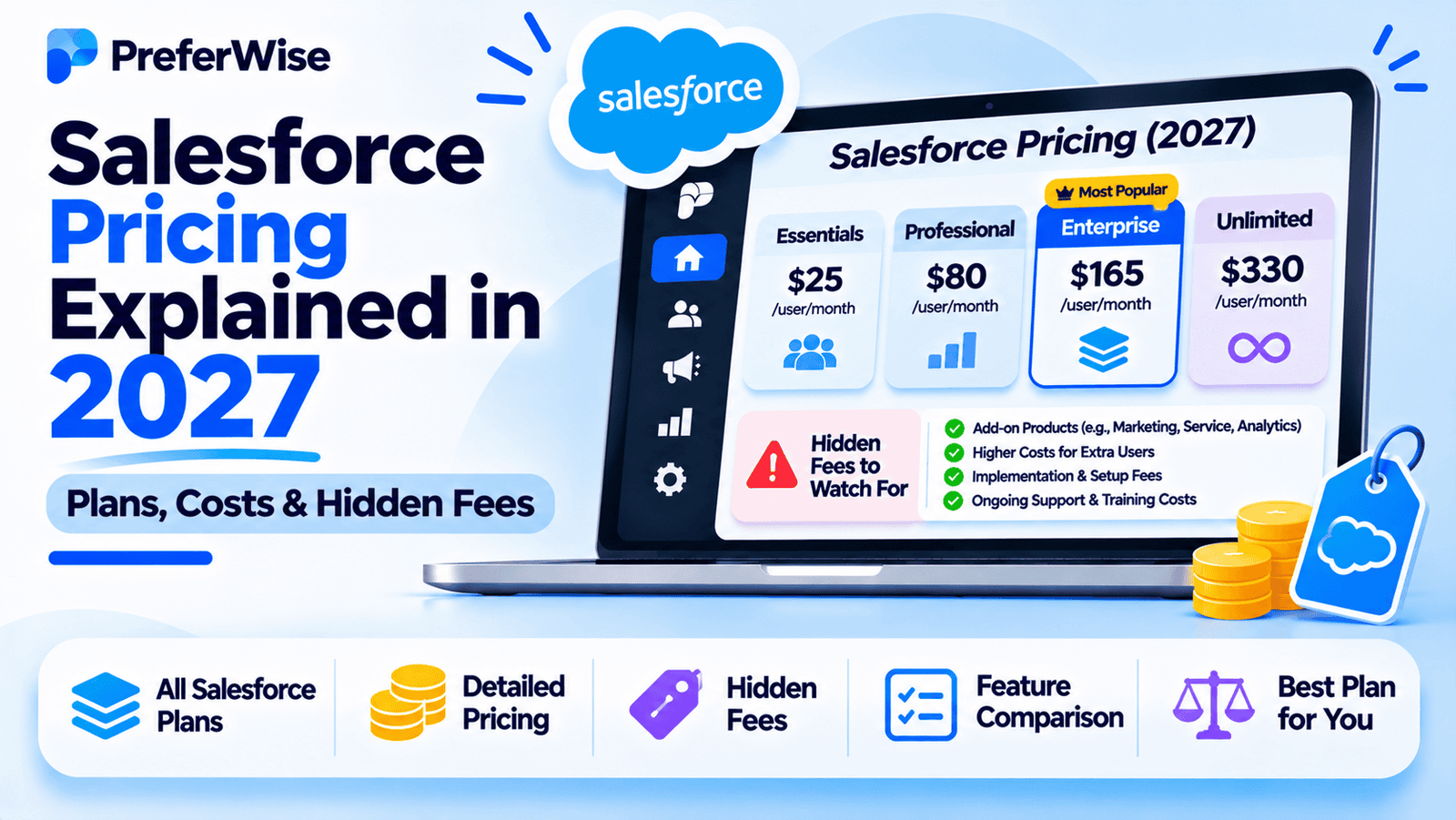
Salesforce offers several CRM plans, from entry-level tools for small businesses to advanced sales platforms with AI, automation, analytics, and enterprise capabilities. But the advertised price is only part of the story. This guide explains Salesforce pricing, what each plan is designed for, how much different team sizes could pay, and which extra costs to consider before subscribing.
How much does Salesforce cost in 2027?
Salesforce uses a per-user subscription model for many of its CRM products. The amount you pay depends on the edition, number of users, billing arrangement, and additional products or services your business requires.
Starter Suite: $25 per user/month.
Pro Suite: $100 per user/month.
Sales Cloud Core: $195 per user/month.
Sales Cloud Advanced: $395 per user/month.
Sales Cloud Max: $550 per user/month.
These are the advertised US-facing starting prices reviewed for this guide. Starter Suite is advertised with monthly or annual billing; Pro Suite and the Sales Cloud editions above are advertised with annual billing. Transaction fees, add-ons, and other charges may apply.
Salesforce also offers a free trial so businesses can explore the product before committing. A free trial is not the same as a permanent free subscription.
For the latest prices and plan details, check the official Salesforce Sales pricing page.
Starter Suite
Designed for businesses that want core sales, service, marketing, and commerce tools in one suite.
Pro Suite
Adds more customization and automation, along with capabilities such as sales quoting and forecasting.
Sales Cloud Core
Designed for teams that need a more advanced sales platform and additional bundled capabilities.
Advanced and Max
Higher-end options with expanded security, data, AI, and sales capabilities.
Prices are in USD and reflect the listed US-facing sales editions. Availability, product names, billing terms, and prices may differ by country or contract. Confirm the current offer before purchasing.
Salesforce pricing plans explained
Salesforce pricing can be confusing because its product lineup includes small-business suites and more advanced sales-focused editions. These products serve different needs, so comparing only their monthly prices can be misleading.
| Plan | Advertised price | Billing information | Best suited for |
|---|---|---|---|
| Starter Suite | $25/user/month | Monthly or annual billing advertised | Small businesses starting with CRM |
| Pro Suite | $100/user/month | Annual billing; contract required | Growing businesses needing more customization |
| Sales Cloud Core | $195/user/month | Annual billing | Sales teams needing expanded sales functionality |
| Sales Cloud Advanced | $395/user/month | Annual billing | Organizations with more advanced security, data, and AI needs |
| Sales Cloud Max | $550/user/month | Annual billing | Teams seeking a more extensive bundled sales platform |
These prices are not a complete catalog of every Salesforce product. Other editions, legacy subscriptions, enterprise agreements, and product-specific packages may have different terms. Existing customers should check their current contract before assuming that a publicly listed price applies to their account.
For the current feature list and billing terms, consult the official Salesforce CRM pricing page and Sales pricing page.
Salesforce Starter Suite vs Pro Suite
For many small businesses, the first important decision is whether Starter Suite provides enough functionality or whether Pro Suite’s additional features justify the higher subscription price.
Salesforce Starter Suite — $25 per user/month
Starter Suite is designed as an accessible entry point for businesses that want sales, service, marketing, and commerce tools in one package.
The advertised feature set includes capabilities such as:
- Lead, account, contact, and opportunity management.
- Built-in sales flows and lead routing.
- AI-assisted synchronization of emails, events, and contacts.
- Email marketing and analytics capabilities.
- Connected customer-facing tools within the suite.
Who should consider it? A small team that needs structured customer records, a sales pipeline, and foundational customer engagement tools without the full complexity of a larger sales platform.
What to verify: If you rely on custom sales processes, advanced reporting, complex automation, or specialized integrations, confirm that Starter Suite supports those requirements before subscribing.
Review Salesforce small-business pricing.
Salesforce Pro Suite — $100 per user/month
Pro Suite builds on Starter Suite with more flexibility and functionality across sales, service, marketing, and commerce.
Its advertised capabilities include:
- Greater customization and automation.
- Sales quoting and forecasting.
- Access to additional apps and the Salesforce ecosystem.
- More options for businesses with evolving processes.
Who should consider it? A growing business that needs more control over its CRM processes and requires features that are not available in Starter Suite.
What to verify: Check the specific automation limits, customization options, integrations, and contract terms. Premier Support is listed as an add-on on the pricing page rather than something every Pro Suite customer automatically receives.
Starter Suite vs Pro Suite: key differences
| Feature or consideration | Starter Suite | Pro Suite |
|---|---|---|
| Advertised price | $25/user/month | $100/user/month |
| Core CRM | Included | Included |
| Sales, service, and marketing tools | Core suite capabilities | Expanded capabilities |
| Customization | Foundational functionality | Greater customization |
| Automation | Core workflows | More extensive automation |
| Sales quoting and forecasting | Verify current plan inclusion | Advertised feature |
| Billing | Monthly or annual billing advertised | Annual billing; contract required |
| Typical fit | Small teams with straightforward needs | Growing businesses with more complex processes |
Do not upgrade solely because Pro Suite includes more features. First identify which additional capabilities your business will actually use and whether they justify the price difference.
Sales Cloud Core, Advanced, and Max pricing
Sales Cloud’s higher-priced editions target businesses that need a more extensive sales platform. They are not simply larger versions of the entry-level CRM: the bundles include additional capabilities and services.
Sales Cloud Core — $195 per user/month
Core is positioned for sales teams that need more than basic contact and opportunity management. Salesforce advertises features and bundled capabilities beyond Pro Suite, including Slack Business+, Tableau Next, and other sales-focused tools.
It may be worth evaluating if sales operations, forecasting, collaboration, and analytics are important to your organization. Before upgrading, verify which capabilities are included in your region and edition.
Sales Cloud Advanced — $395 per user/month
Advanced builds on Core with additional security, data, and AI capabilities. Salesforce’s published feature list includes tools such as Sales Programs, Backup & Recover, Archive, Data Detect, and Security Center.
This tier is more relevant to organizations with advanced operational or governance requirements than to a small team that only needs a contact database and pipeline.
Sales Cloud Max — $550 per user/month
Max is positioned as a more comprehensive sales platform. Salesforce advertises an expanded AI bundle alongside capabilities such as Agentforce for Sales, Agentforce Coworker, Salesforce Spiff, Sales Planning, Sales Programs, Salesforce Maps, Tableau Next, and Slack Enterprise+.
The package may be relevant to organizations looking to consolidate several sales and analytics capabilities, but its value depends on whether the included products are useful to your team.
How do you decide between the higher tiers?
- Core: Evaluate it when your business needs an expanded sales platform and bundled capabilities.
- Advanced: Consider it when enhanced security, data, and AI functionality are essential.
- Max: Consider it when the broader bundle aligns with substantial sales, analytics, and AI requirements.
For many small businesses, these tiers will exceed what is necessary. Compare the included tools against your real workflow before committing to a higher subscription.
Salesforce cost calculator: How much will your team pay?
The simplest way to estimate the license cost is to multiply the per-user monthly price by the number of users. The examples below use the advertised list prices and exclude taxes, transaction fees, add-ons, implementation, and other services.
| Number of users | Starter Suite $25/user/month | Pro Suite $100/user/month | Sales Cloud Core $195/user/month |
|---|---|---|---|
| 1 user | $25/month | $100/month | $195/month |
| 5 users | $125/month | $500/month | $975/month |
| 10 users | $250/month | $1,000/month | $1,950/month |
| 25 users | $625/month | $2,500/month | $4,875/month |
These are simple monthly-equivalent license calculations. They are not quotes. Annual billing or contract requirements may mean that the amount payable upfront differs from the monthly equivalent shown here.
Annual license cost examples
For a quick budget estimate, multiply the monthly-equivalent cost by 12.
| Users | Starter Suite | Pro Suite | Sales Cloud Core |
|---|---|---|---|
| 1 | $300/year | $1,200/year | $2,340/year |
| 5 | $1,500/year | $6,000/year | $11,700/year |
| 10 | $3,000/year | $12,000/year | $23,400/year |
| 25 | $7,500/year | $30,000/year | $58,500/year |
For example, a five-person team using Starter Suite has an estimated license cost of $1,500 per year at the listed monthly-equivalent rate. If that team needs Pro Suite, the equivalent license cost rises to $6,000 per year.
The difference is substantial, so the team should confirm that Pro Suite’s additional customization, automation, quoting, and forecasting features are genuinely necessary.
What about Advanced and Max?
At the listed prices, a five-user team would have the following monthly-equivalent license costs:
- Sales Cloud Advanced: 5 × $395 = $1,975 per month, or $23,700 per year.
- Sales Cloud Max: 5 × $550 = $2,750 per month, or $33,000 per year.
These examples exclude all additional charges and assume the listed prices apply to the team’s subscription.
Hidden Salesforce costs to consider
The subscription price is an important starting point, but it does not necessarily represent the full cost of running Salesforce. The total depends on your implementation, integrations, support needs, and the features your team uses.
1. Transaction fees
Salesforce’s pricing page notes that transaction fees apply to its advertised Starter Suite and Pro Suite prices. Check the current terms to understand which transactions trigger fees and how they affect your use case.
Do not assume that the displayed license price is the only amount you will pay, especially if your business uses commerce or payment-related functionality.
2. Paid add-ons
Salesforce offers additional products and add-ons for specialized requirements. Depending on the package, these may include analytics, sales planning, mapping, performance management, data services, or AI-related capabilities.
Before purchasing an add-on, confirm whether the required functionality is already included in your edition or whether another plan would be more cost-effective.
3. Implementation and data migration
Setting up Salesforce can involve more than creating user accounts. A business may need to configure fields, pipelines, permissions, workflows, reports, integrations, and data migration.
Implementation costs depend on the complexity of the project and whether the work is handled internally or by an external consultant. A simple setup may need limited assistance, while a complex migration can require substantial planning and testing.
4. Ongoing administration
Salesforce needs ongoing management as the business changes. Someone must maintain user access, data quality, workflows, reports, integrations, and configuration.
For a small team, this responsibility may fall to an existing employee. Larger or more complex deployments may need dedicated administrative expertise.
5. Support and success plans
Salesforce includes a Standard Success Plan with its licenses. Its pricing information also describes Premier and Signature Success Plans, which provide additional support and guidance.
The published pricing page lists Premier Success at 30% of net license fees in the relevant pricing context, while Signature pricing requires contacting Salesforce. Check which support plan applies to your edition and whether extra coverage is necessary.
6. Integrations and third-party applications
Some integrations may be included, while others require additional software, a connector, or a separate subscription. Review the cost of every system you plan to connect, including marketing tools, accounting software, telephony, analytics, and data enrichment.
7. Training and change management
Teams may need training to use Salesforce consistently. This is especially important when migrating from another CRM or introducing new sales processes.
Budget time for documentation, onboarding, testing, and user adoption—not just the subscription itself.
Before signing a contract, ask Salesforce for a complete quote. Request a breakdown of license fees, billing commitments, transaction charges, add-ons, support, implementation, and any other recurring costs that apply to your configuration.
For current product and support information, see the Salesforce CRM pricing page.
Salesforce pricing for small businesses and startups
Salesforce can suit a small business, but the right plan depends on how much functionality the team needs and how quickly its processes are likely to grow.
Is Salesforce Starter Suite enough for a small business?
Starter Suite may be sufficient for a small business that needs core customer records, opportunity management, basic workflows, and connected customer-facing tools.
It is worth evaluating if the business wants to begin with a structured CRM without immediately adopting a more advanced sales platform. However, check that the plan supports the custom fields, reporting, and integrations you actually need.
When should a small business upgrade to Pro Suite?
Pro Suite may make sense when the business needs greater customization, more automation, or sales quoting and forecasting capabilities. The upgrade is easier to justify when those features solve a measurable operational problem.
Before upgrading, compare the additional annual license cost against the value of the functionality you expect to use.
Do startups need Sales Cloud Core or higher?
Many early-stage startups will not need the higher-priced Sales Cloud editions. These plans are better suited to organizations that require the additional bundled capabilities, security, data, analytics, or AI features.
A startup should choose a higher tier because it needs the included functionality—not simply because it expects to grow. It is often more sensible to start with a plan that fits the current process and review requirements as the business develops.
When should you consider another CRM?
If your team needs straightforward contact and deal management, compare Salesforce against simpler alternatives before committing to a higher plan. Depending on your workflow, Pipedrive, Zoho CRM, Freshsales, or HubSpot may be worth evaluating.
Read our guides to the best CRM for startups and best CRM software for small businesses.
Salesforce pricing vs HubSpot, Zoho CRM, and Pipedrive
Salesforce is not automatically the most expensive or the best-value option for every business. The fair comparison is the price of the plan that includes the features your team needs.
| CRM | Main strength | What to compare |
|---|---|---|
| Salesforce | Broad sales platform, customization, and ecosystem | Edition, add-ons, support, transaction fees, and implementation |
| HubSpot | Connected CRM, sales, marketing, and service tools | Hub and seat requirements, automation, contact limits, and upgrades |
| Zoho CRM | Broad CRM functionality and multiple editions | Required tier, user count, customization, and connected apps |
| Pipedrive | Sales pipeline and activity management | Plan, automation, email features, add-ons, and reporting |
Salesforce vs HubSpot pricing
HubSpot may appeal to businesses that want sales and marketing tools in one ecosystem. Salesforce may suit teams that need its particular customization options, sales capabilities, and broader ecosystem.
Compare the exact features included in the plans you would buy. The entry-level price alone will not show whether advanced automation, reporting, or marketing functionality is included.
Read our HubSpot vs Salesforce for small business comparison.
Salesforce vs Zoho CRM pricing
Zoho CRM offers a free edition for up to three users and paid editions at different price points. It may be attractive to businesses that need a broader CRM without immediately paying for a higher-end sales platform.
Salesforce may be a better fit when its specific platform capabilities and ecosystem match the business’s requirements. Compare customization, integrations, administration, and the plan-level features needed for your process.
Salesforce vs Pipedrive pricing
Pipedrive focuses on sales pipeline management, while Salesforce offers a broader set of sales platform capabilities and editions. A business that mainly needs deal tracking and follow-up activities may not require Salesforce’s higher-priced plans.
On the other hand, if the business needs Salesforce-specific features or a broader platform strategy, the higher cost may be justified.
Read our Pipedrive alternatives guide if you’re comparing sales-focused CRMs.
How to choose the right Salesforce plan
Before subscribing, make a list of the jobs your CRM must perform. Then compare that list with the feature matrix for each edition.
Choose Starter Suite if:
- Your business needs core lead, contact, account, and opportunity management.
- You want an entry-level suite of customer-facing tools.
- Your sales processes are relatively straightforward.
- You can work within the edition’s customization and automation limits.
Choose Pro Suite if:
- Your team needs more customization and automation.
- Sales quoting and forecasting are important.
- You need broader functionality than Starter Suite provides.
- The additional features justify the higher annual commitment.
Consider Sales Cloud Core, Advanced, or Max if:
- Your organization needs a more extensive sales platform.
- You need the additional analytics, security, data, or AI features in the bundle.
- You can use the bundled capabilities enough to justify their price.
- You have evaluated the ongoing administration and implementation requirements.
Salesforce buying checklist
- Calculate the annual cost for every user who needs access.
- Confirm the billing cycle, contract requirements, and payment terms.
- Verify the features and limits included in the chosen edition.
- Ask whether transaction fees apply to your use case.
- List required add-ons, integrations, and support services.
- Estimate migration, setup, administration, and training costs.
- Test your most important workflows during the trial.
- Ask for a complete quote before signing a contract.
Compare your options before committing
Check the current Salesforce plan details, estimate the cost for your actual team size, and compare the required features against other CRMs before making a decision.
Frequently asked questions
How much does Salesforce cost per user per month?
Salesforce’s US-facing sales pricing page lists Starter Suite at $25 per user/month, Pro Suite at $100, Sales Cloud Core at $195, Advanced at $395, and Max at $550. Billing requirements differ by edition, and transaction fees or additional products may apply.
Does Salesforce have a free plan?
Salesforce offers free trials so businesses can test its products before committing. Do not confuse a trial with a permanent free subscription. Check Salesforce’s current regional offers and eligibility if you are looking for ongoing free access.
What is the cheapest Salesforce plan?
Starter Suite is the lowest-priced edition listed in the sales pricing lineup covered in this guide, at $25 per user/month. Check the current official pricing page for other offers, eligibility, and terms in your region.
What is the difference between Starter Suite and Pro Suite?
Starter Suite is designed for businesses that need core customer-facing tools. Pro Suite adds greater customization and automation, as well as features such as sales quoting and forecasting. The advertised prices are $25 and $100 per user/month respectively.
Why is Salesforce so expensive for some businesses?
The total can increase when a business needs higher editions, add-ons, implementation assistance, integrations, support, or ongoing administration. The correct comparison is the total cost of the setup your team needs, not only the advertised entry price.
Does Salesforce charge extra for add-ons?
Some Salesforce products and add-ons require separate charges. Examples may include specialized analytics, sales planning, mapping, and other advanced capabilities. Confirm which features are included in your edition and ask for a full quote.
Is Salesforce worth it for a small business?
It can be, especially if the business needs the capabilities Salesforce provides and has a plan for administering the CRM. Smaller teams with basic contact and pipeline needs should compare Starter Suite with simpler alternatives before paying for more advanced functionality.
How much does Salesforce cost for five users?
At the advertised list prices, five Starter Suite users would have a monthly-equivalent license cost of $125, while five Pro Suite users would cost $500. Five Sales Cloud Core users would cost $975 per month at the listed rate. These estimates exclude additional charges and may not reflect upfront payment terms.
Does Salesforce require an annual contract?
Contract requirements vary by edition. The US-facing pricing page advertises monthly or annual billing for Starter Suite and annual billing with a contract for Pro Suite. The higher sales editions are advertised with annual billing. Confirm the terms for your selected product before subscribing.
Can I negotiate Salesforce pricing?
Commercial terms may depend on the product, number of users, contract length, and business requirements. Ask Salesforce for a written quote that clearly lists licenses, fees, add-ons, support, and any contract commitments. Do not assume a discount or special offer is guaranteed.
What is the best alternative to Salesforce?
The best alternative depends on your needs. HubSpot may suit businesses that want connected sales and marketing tools, Zoho CRM offers a broad set of CRM capabilities, and Pipedrive focuses on sales pipeline management. Compare equivalent features and total cost before deciding.
Editorial note: This guide is intended to help readers evaluate software pricing. Prices, product packaging, billing terms, trial availability, and feature inclusions can change by date, region, and contract. Verify current terms with Salesforce before purchasing. Cost calculations in this article are illustrative license estimates and exclude taxes, transaction fees, add-ons, implementation, and other services. PreferWise should disclose any affiliate relationships in accordance with its site policies.
How we evaluated these tools
We compare tools on pricing (including plan limits and add-ons), features, AI and automation, integrations, ease of use, support and fit for the use case. We use vendor pricing and documentation pages, note when information was checked, and do not let commercial relationships decide the order. Read our full ranking methodology.