
Pipedrive vs HubSpot: Pricing, Features & Which CRM Is Better?
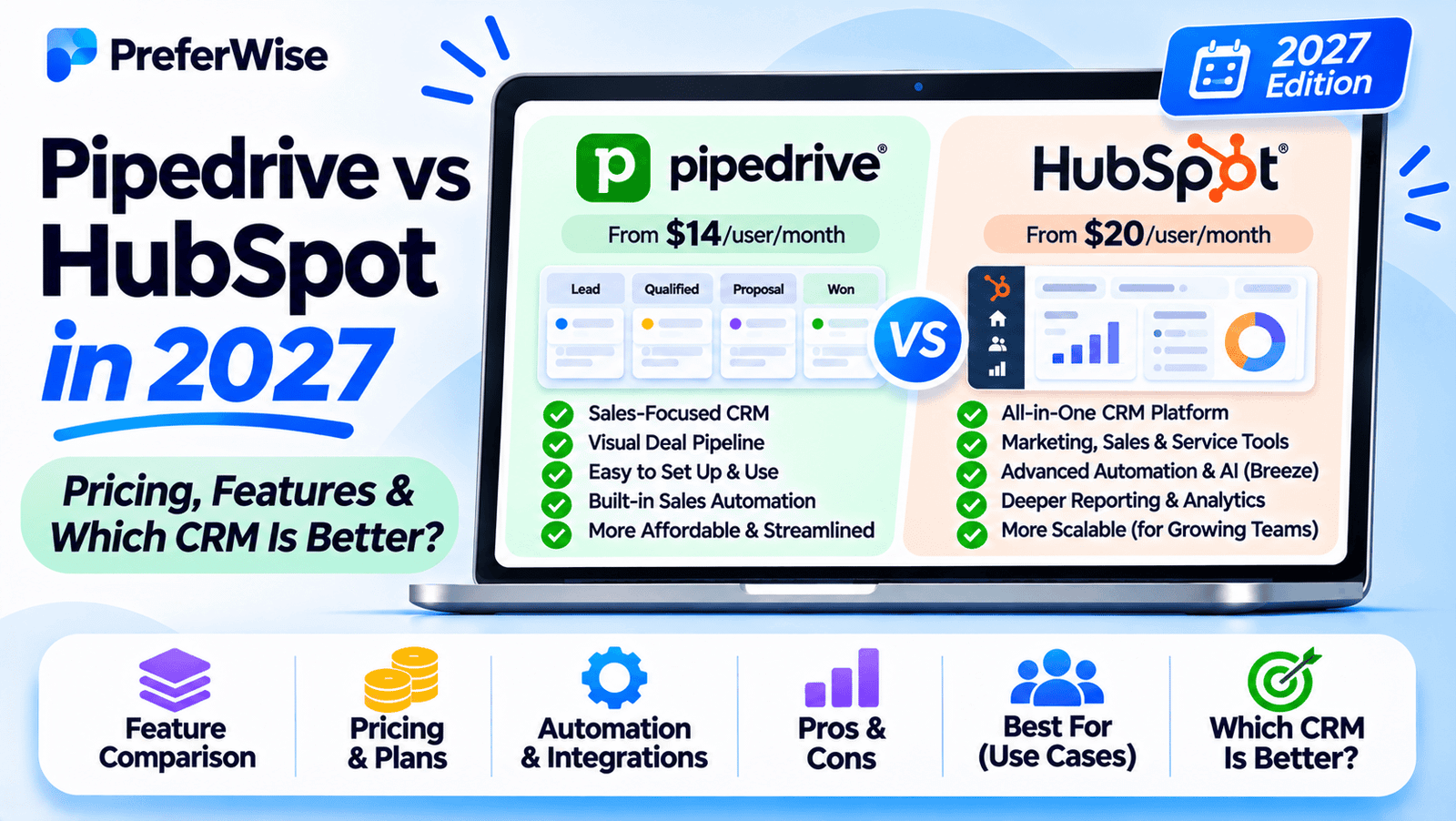
Pipedrive and HubSpot help businesses manage leads, track deals, and build stronger customer relationships—but they take different approaches. Pipedrive focuses on sales pipeline management, while HubSpot connects CRM data with a broader set of marketing, sales, and customer service tools. Here’s how to choose the right platform for your team.
Quick verdict: Pipedrive vs HubSpot
Choose Pipedrive if your priority is managing sales opportunities. Its deal-focused interface, customizable pipelines, and sales activity management make it a natural fit for teams that want a dedicated place to track prospects and move deals toward closing.
Choose HubSpot if you want your CRM connected to a broader customer platform. Its CRM can bring contact management, sales activity, marketing, and customer service into a shared ecosystem. The right feature set and cost depend on which products and tiers you need.
Neither is automatically better. The better choice depends on whether your main challenge is organizing a sales pipeline or coordinating customer interactions across several business functions.
Pipedrive
Consider Pipedrive if your team works primarily through leads, deals, calls, meetings, and follow-up activities.
- Visual deal pipeline
- Sales activity tracking
- Forecasting and automation on eligible plans
- Optional add-ons for additional capabilities
HubSpot
Consider HubSpot if sales needs to share customer information and processes with marketing or customer service.
- Shared CRM database
- Free foundational tools
- Sales, marketing, and service products
- More capabilities as you move into paid tiers
If you’re evaluating CRM platforms beyond these two, start with our broader guide to the best CRM software for small businesses. It can help you compare additional options before making a decision.
Pipedrive vs HubSpot at a glance
Both platforms provide core CRM capabilities, but their product strategies differ. Pipedrive puts the sales process at the center of the experience. HubSpot offers a shared CRM foundation that can support multiple customer-facing teams.
| Comparison factor | Pipedrive | HubSpot |
|---|---|---|
| Core focus | Sales pipeline and deal execution | CRM across sales, marketing, and service |
| Free access | 14-day free trial advertised; no permanent free CRM plan listed on its standard pricing page | Free foundational tools with usage and user limits |
| Paid plan structure | Lite, Growth, Premium, Ultimate | Starter, Professional, and Enterprise tiers across relevant products, plus bundles |
| Pipeline management | Central part of the product experience | Deal pipelines within the CRM and Sales Hub |
| Marketing tools | Campaigns and other capabilities may require add-ons or specific plans | Marketing tools are available through its marketing products and bundles |
| Automation | Plan-dependent sales automations and follow-up workflows | Automation varies by product, tier, and usage limits |
| Reporting | Sales reports and forecasting capabilities vary by plan | CRM and product-specific reporting with tier-dependent limits |
| Integrations | Broad integration ecosystem, including third-party apps | Marketplace and native integrations across its platform |
| Typical fit | Teams that prioritize a dedicated sales workflow | Teams that want connected customer-facing functions |
Comparison note: Features and limits can change. Confirm the capabilities included in your chosen subscription before purchasing, particularly if you need advanced automation, custom reporting, or multiple pipelines.
Pipedrive vs HubSpot pricing
Pricing deserves close attention because the cheapest entry point is not necessarily the lowest-cost solution for your workflow. Pipedrive generally sells its CRM through per-seat subscriptions, with some capabilities available as add-ons. HubSpot offers free tools and paid products that can be purchased individually or as bundles.
Pipedrive pricing and plans
Pipedrive’s current standard plan lineup is Lite, Growth, Premium, and Ultimate. The company also advertises a 14-day free trial, which lets teams evaluate the product before committing.
| Plan | General positioning | What to evaluate |
|---|---|---|
| Lite | Core sales pipeline and contact management | Lead and deal organization, essential reporting, integrations, and limits |
| Growth | More sales productivity and automation capabilities | Email workflows, follow-ups, forecasting, and automation limits |
| Premium | Expanded sales functionality and team capabilities | Lead generation tools, collaboration, customization, and included add-ons |
| Ultimate | Advanced functionality for more demanding teams | Security, administration, reporting, and higher usage limits |
These descriptions are a general guide, not a substitute for the official feature matrix. Pipedrive’s included features, add-ons, and usage limits differ by subscription.
Check the official Pipedrive pricing page for the latest per-seat price in your currency. Annual billing may reduce the effective monthly cost, but usually requires paying upfront. Add-ons and additional seats can increase the total.
HubSpot pricing and plans
HubSpot offers free foundational CRM tools, followed by paid options such as Starter, Professional, and Enterprise across its relevant products. It also offers bundles that combine capabilities from multiple parts of its platform.
| Option | General positioning | What to evaluate |
|---|---|---|
| Free tools | Foundational CRM and selected tools at no subscription cost | User, contact, feature, and branding limits |
| Starter | Entry-level paid capabilities for smaller teams | Required products, seat pricing, and included features |
| Professional | More advanced functionality and automation | Workflow requirements, reporting, onboarding, and total cost |
| Enterprise | Advanced functionality for more complex organizations | Administration, governance, customization, and scale |
HubSpot’s free tools can be a useful starting point, but they are not equivalent to every paid Sales Hub feature. As your requirements grow, check which products and tiers are needed to access the features you want.
Visit HubSpot’s official CRM pricing page to compare current offers, billing options, and product-specific limits. Promotional pricing may apply only to eligible new customers or certain billing arrangements.
Which CRM is cheaper?
There is no universal winner on price. HubSpot may be a compelling starting point if its free tools cover your requirements. Pipedrive may be a better-value choice when a focused sales workflow is what you need and its selected plan includes the right features.
Compare the cost of the exact configuration your team will use—not just the advertised starting price.
- Calculate the cost for your actual number of seats.
- Check whether the advertised price requires annual billing.
- List any required add-ons, product bundles, and paid integrations.
- Confirm contact, automation, reporting, and storage limits.
- Estimate what the subscription will cost when your team grows.
If free access is a major deciding factor, our guide to the best free CRM software can help you compare both platforms with other free CRM options.
Sales pipeline and deal management
Sales pipeline management is where the distinction between Pipedrive and HubSpot becomes especially important. Both can help teams organize opportunities, but Pipedrive makes pipeline execution the centerpiece of its product.
Pipedrive: a sales-first workflow
Pipedrive is designed around a visual pipeline where salespeople can see deals at different stages and identify the next action needed to move each opportunity forward. Teams can configure pipelines around their sales process and track activities associated with prospects and deals.
This approach can suit sales teams that want a focused workspace rather than a platform covering several departments.
Pipedrive is worth considering if your team needs to:
- Track deals through clearly defined sales stages.
- Schedule and manage calls, meetings, and follow-ups.
- Review deal progress and identify stalled opportunities.
- Organize sales activities across representatives.
- Build repeatable processes for lead qualification and closing.
More advanced forecasting, automation, and collaboration features depend on the plan. Review the current Pipedrive plan feature comparison before choosing a tier.
HubSpot: sales pipeline within a broader CRM
HubSpot also supports deal pipelines, contact records, sales activities, and tools for managing the customer journey. Its main distinction is that CRM information can be connected with other HubSpot products, including marketing and customer service tools.
That connection can be useful when sales representatives need context about how a contact entered the pipeline, which marketing interactions occurred, or what other customer-facing teams know about the account.
HubSpot may be a better fit when your sales workflow involves:
- Coordinating lead generation and sales follow-up.
- Sharing customer context across marketing and sales.
- Managing customer information across multiple teams.
- Building a broader process that continues after the initial sale.
However, advanced capabilities and automation are not available in every tier. Map your requirements to the specific HubSpot products and subscriptions you intend to purchase.
Pipeline verdict: Start with Pipedrive if your biggest need is a focused sales pipeline. Consider HubSpot if pipeline management needs to connect closely with marketing, service, and other customer-facing workflows.
For teams that primarily sell to other businesses, explore our guide to the best B2B sales CRM platforms. It covers the wider category beyond this two-product comparison.
Marketing, customer data, and lifecycle management
The biggest strategic difference between these platforms is how much of the customer lifecycle you want to manage in one system.
HubSpot connects CRM with marketing and service
HubSpot’s ecosystem includes products for marketing, sales, customer service, content, and data management. Its shared CRM foundation can help businesses maintain a more connected view of contacts and companies as they interact with different teams.
For example, a business might attract a lead through a website form, nurture that contact through marketing, convert the opportunity through sales, and continue the relationship through customer service. A connected platform can reduce the need to maintain separate systems for every stage.
That does not mean every tool is included for free. The depth of marketing automation, reporting, and other capabilities depends on the products and tiers selected.
Pipedrive focuses on sales, with options to extend it
Pipedrive’s primary orientation is sales execution, but it offers additional capabilities through plan inclusions, integrations, and optional add-ons. Depending on the team’s requirements, these may cover lead generation, email marketing, documents, and other parts of the sales process.
This can be suitable for businesses that already have a marketing platform and mainly want their CRM to manage the sales pipeline. It may also be a good fit when the organization prefers to choose specialized tools rather than move several functions into one ecosystem.
Which approach is better?
Choose based on your existing workflow:
- Marketing and sales are tightly connected: HubSpot deserves a closer look.
- Your team already has marketing tools: Pipedrive may fit as the dedicated sales system.
- You want fewer separate platforms: Compare the total cost and coverage of HubSpot’s relevant products.
- You prefer a best-of-breed software stack: Compare Pipedrive’s integrations and any extra subscription costs.
The goal is not to choose the platform with the most features. It is to choose the system that supports the customer journey your business actually uses.
Automation, reporting, and forecasting
Automation and reporting can save time, but they are also common reasons businesses need to upgrade their CRM plans. Compare the specific workflow you want to automate and the reports your team needs before committing.
Automation
Pipedrive supports sales-focused automation on eligible plans. Teams can use available automation features to reduce repetitive follow-up work and help standardize parts of the sales process.
HubSpot offers automation capabilities across its product ecosystem, but the available triggers, actions, and limits vary by product and subscription tier. A basic CRM workflow and a sophisticated multi-step marketing automation are not the same requirement.
Before comparing plans, write down a few real examples, such as:
- Create a follow-up task when a deal reaches a particular stage.
- Notify a manager when a high-value opportunity becomes inactive.
- Assign incoming leads based on defined criteria.
- Trigger a marketing follow-up when a contact meets specific conditions.
Then check which platform can execute those workflows on the plan you can afford.
Reporting and sales forecasting
Both platforms offer reporting capabilities, though the depth and customization available depend on the selected subscription.
Pipedrive’s sales-oriented approach can suit teams focused on deal progress, pipeline performance, and forecasting. HubSpot may appeal to businesses that want to relate CRM performance to activities across multiple customer-facing functions, provided the required products and reporting features are included.
Evaluate whether you need basic activity reports or more advanced reporting across teams. If your managers rely on custom dashboards, attribution, or cross-functional reporting, verify those exact requirements before making the choice.
Ease of use, mobile access, and integrations
Ease of use
Pipedrive’s sales-first structure can make it easier for teams to focus on their day-to-day pipeline activities. HubSpot may provide more value when employees need to work across multiple customer-facing functions, although that broader scope can also introduce more configuration and learning.
Neither platform will be equally simple for every team. Usability depends on your process, data quality, integrations, and the number of features you configure.
Mobile access
Sales representatives who work away from their desks should evaluate contact lookup, activity logging, notifications, meeting preparation, and the ability to update deal information from a phone.
Both vendors offer mobile access, but the right choice depends on the tasks your salespeople need to complete on the move. Test those tasks on the actual devices your team uses rather than judging the mobile experience by the existence of an app alone.
For a wider comparison of mobile-first sales tools, see our guide to the best mobile CRM apps for sales representatives.
Mac compatibility
If your team works on Macs, consider browser compatibility, integrations with your existing business tools, and how comfortably the CRM fits into your daily workflow. Both products are available as web-based platforms, so you should also test the browser and device combinations your team relies on.
Our guide to the best CRM software for Mac users can help you explore other options if desktop workflow is a major selection criterion.
Integrations
Integration requirements can have a greater impact on CRM value than a long feature list. Check whether the platform connects to your email provider, calendar, forms, accounting software, communication tools, and any systems that hold customer data.
Pipedrive provides an app integration ecosystem, while HubSpot offers native integrations and a marketplace that supports its broader platform. In either case, verify the exact integration, available sync direction, field mapping, and subscription requirements before assuming it will work as expected.
Pipedrive vs HubSpot: Which has the better free CRM?
For businesses that want to start without a paid CRM subscription, HubSpot has the clearer advantage: it offers free foundational tools. Pipedrive’s standard pricing page advertises a 14-day free trial rather than a permanent free CRM plan.
HubSpot free tools
Useful for teams that want to begin managing contacts and deals without an initial subscription fee.
- Free foundational CRM tools
- Selected sales and customer tools
- Limits on users, records, and functionality
- Paid upgrades when requirements grow
Pipedrive free trial
Useful for teams that want to evaluate a sales-focused CRM before selecting a paid subscription.
- 14-day trial advertised
- Opportunity to evaluate the sales workflow
- Paid subscription required to continue afterward
- Plan and add-on costs should be assessed in advance
Free does not always mean the lowest long-term cost. If you need paid automation, more users, or advanced reporting, compare the subscription required to get those capabilities in both platforms.
Need more options before deciding? Browse our full comparison of the best free CRM software to find alternatives that may suit your requirements.
Which CRM should you choose?
The most useful way to decide is to match the platform to your business model and current priorities, rather than trying to declare one CRM the winner for everyone.
Choose Pipedrive if you are a sales-driven team
- Your main goal is to improve pipeline visibility and deal follow-up.
- Your sales representatives need a dedicated deal management workspace.
- Your marketing team already uses a separate platform.
- You want to configure the CRM around a defined sales process.
- You can budget for the paid plan and any necessary add-ons.
Choose HubSpot if you want a broader customer platform
- You want to connect sales with marketing and customer service.
- You need a shared customer database across several teams.
- You want to start with free CRM tools and expand over time.
- Your team can benefit from connected customer lifecycle workflows.
- The total cost of the products and tiers you need fits your budget.
Best choice for startups
Startups should consider both immediate needs and the systems they may need as the business grows. HubSpot’s free tools may be attractive for a small team that needs a low-cost starting point. Pipedrive may be preferable for a startup with a clearly defined sales process and a need to manage opportunities consistently.
Compare the tools against your sales motion, team size, and planned spending. For a broader shortlist, see our guide to the best CRM for startups.
Best choice for small businesses
For a small business, the decision often comes down to whether you need a dedicated sales CRM or a broader customer platform. A business with a small sales team and a straightforward pipeline may prefer Pipedrive. A business coordinating marketing, sales, and service may get more value from HubSpot’s connected ecosystem.
Compare the actual subscription configuration rather than assuming one platform is always more affordable. Our small business CRM buying guide provides a broader starting point.
Best choice for B2B sales teams
For B2B teams, pipeline stages, account management, lead qualification, sales activity tracking, and forecasting may carry more weight than built-in marketing features. Pipedrive deserves a close look when sales execution is the primary requirement. HubSpot may be more suitable when demand generation and sales need to share customer data and workflows.
Explore the best B2B sales CRM platforms if you want to compare other products designed for business-to-business sales.
Should you switch from Pipedrive to HubSpot, or the other way around?
Switching CRMs can make sense when your current platform no longer fits your process, but migration should be based on a specific business need—not simply a longer feature list.
Consider switching from Pipedrive to HubSpot when:
- You want to connect marketing, sales, and service data more closely.
- Your current tool stack creates too many disconnected customer records.
- You need customer lifecycle workflows that your current setup cannot support efficiently.
Consider switching from HubSpot to Pipedrive when:
- Your team mainly uses HubSpot for sales pipeline management.
- You want a more focused sales workspace.
- You have reviewed the required features and found a Pipedrive plan that better fits your workflow and budget.
Before migrating, check these items
- Export and map contacts, companies, deals, notes, and activities.
- Review duplicates, missing fields, and data quality issues.
- Document pipeline stages, ownership rules, and automation logic.
- Identify integrations that must be rebuilt or reconnected.
- Confirm which historical data can be transferred and how relationships will be preserved.
- Test the migration with a small dataset before switching the entire team.
- Train users and set a clear date for moving to the new workflow.
Migration capabilities vary by data type, integration, and plan. Confirm the supported import and export process with each vendor before scheduling the transition.
Final verdict: Pipedrive vs HubSpot
Pipedrive is the stronger starting point for businesses that want a focused sales CRM. Its core experience revolves around deals, pipelines, and the activities needed to move opportunities forward. It makes sense when the sales process is your primary concern and you do not need a broad suite of customer-facing tools in the same platform.
HubSpot is the stronger starting point for businesses that want their CRM connected to a wider customer platform. Its free tools offer an accessible entry point, and its broader ecosystem can support businesses coordinating marketing, sales, and service. The trade-off is that the functionality you need may require specific paid products or higher tiers.
Before making your final choice, list your must-have features, test the workflows that matter most, and calculate the total cost for your team. A CRM should make your process easier to run—not add complexity that your business does not need.
Ready to compare your options?
Review the official plans and test the workflows your team will use before committing to a subscription.
Frequently asked questions
Is Pipedrive better than HubSpot?
Pipedrive may be better for teams focused on deal pipelines, sales activities, and follow-ups. HubSpot may be better for businesses that want to connect CRM with marketing and customer service. The best choice depends on the features your team needs and the total cost of the relevant plans.
Is HubSpot cheaper than Pipedrive?
HubSpot offers free foundational CRM tools, while Pipedrive advertises a 14-day free trial on its standard pricing page. For paid use, the cost depends on the number of seats, selected products, billing cycle, add-ons, and feature requirements. Compare equivalent configurations before deciding.
Does Pipedrive have a free plan?
Pipedrive’s standard pricing page advertises a 14-day free trial rather than a permanent free CRM plan. Check its official pricing page for the latest trial terms and available subscriptions.
Does HubSpot offer a free CRM?
Yes. HubSpot offers free foundational CRM tools, with limits on users, records, and selected features. Advanced automation and other capabilities may require paid products or higher tiers.
Which CRM is better for startups?
HubSpot may suit startups that want to start with free CRM tools and connect several customer-facing functions. Pipedrive may suit startups with a sales-driven model that want a dedicated pipeline workflow. Compare the team’s actual needs, expected growth, and subscription costs.
Which CRM is better for B2B sales?
Pipedrive is worth considering when deal management and sales execution are the main priorities. HubSpot may be a better fit when B2B sales relies heavily on coordinated marketing and customer lifecycle data. Both require a plan-level feature check for advanced reporting and automation.
Can I migrate from Pipedrive to HubSpot?
CRM data can often be exported and imported, but the process depends on the data types, integrations, and field relationships involved. Plan the migration carefully, test a sample, and verify how activities, notes, ownership, and deal associations will be handled before switching.
Can I use Pipedrive and HubSpot together?
It may be possible to connect the platforms using integrations or data synchronization tools, depending on the use case. However, using both can introduce duplicate records, sync limitations, and extra subscription costs. Define which system owns each type of data before setting up a connection.
Which CRM is better for a small business?
A small business with a simple, sales-focused process may prefer Pipedrive. A business that needs to coordinate marketing, sales, and customer service may prefer HubSpot. The best choice depends on the workflow, required features, and total subscription cost—not company size alone.
Editorial note: This comparison is intended to help readers evaluate software options. Product features, subscription prices, trial terms, and limits may change by date, region, currency, and billing arrangement. Confirm the current terms with the vendors before purchasing. PreferWise should disclose any affiliate relationships in accordance with its site policies.
How we evaluated these tools
We compare tools on pricing (including plan limits and add-ons), features, AI and automation, integrations, ease of use, support and fit for the use case. We use vendor pricing and documentation pages, note when information was checked, and do not let commercial relationships decide the order. Read our full ranking methodology.