
HubSpot Starter vs Professional in 2027: Pricing, Features & Differences
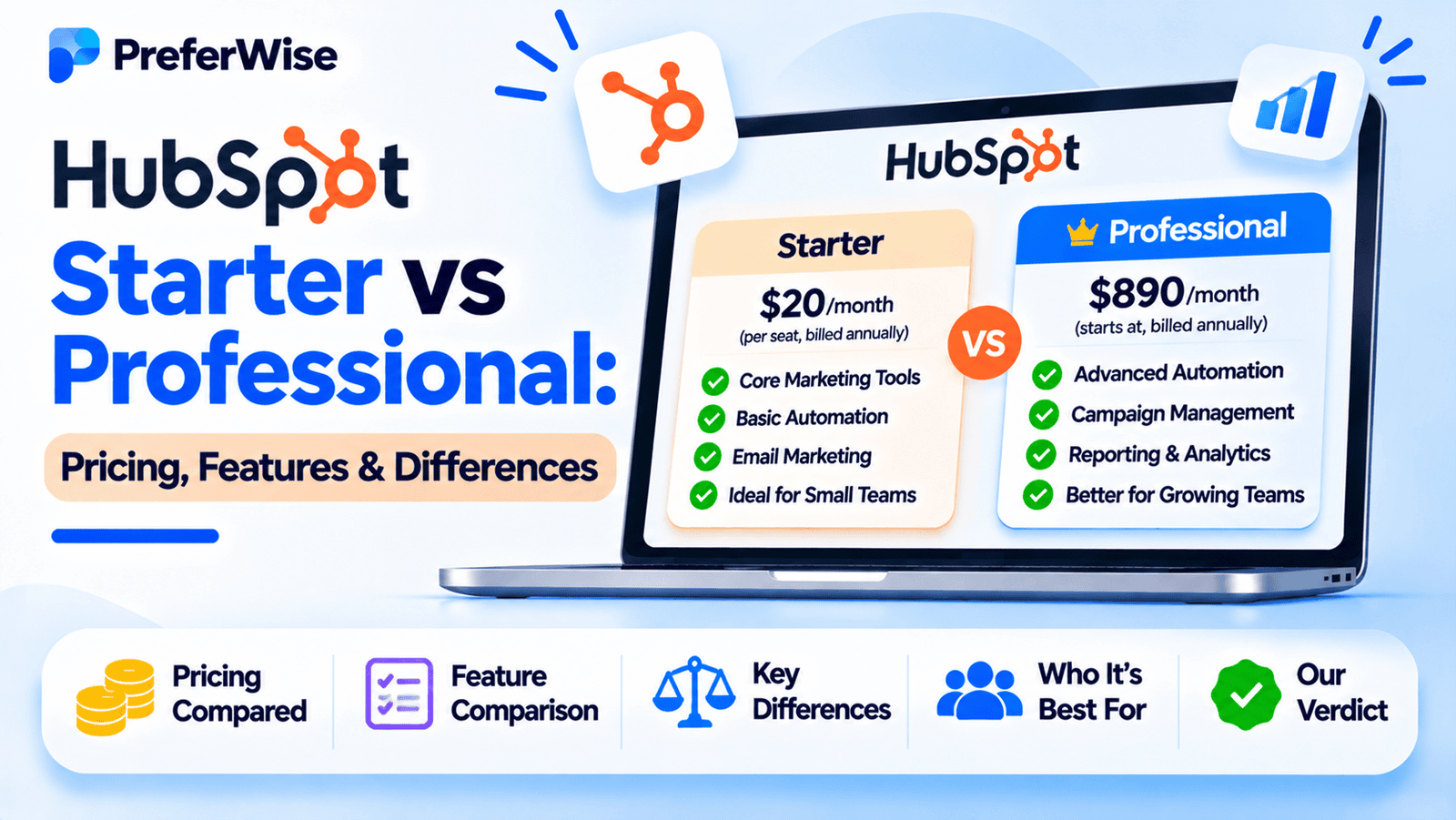
HubSpot Starter and Professional are designed for businesses at different stages of growth. Starter provides essential CRM and sales tools, while Professional adds more advanced automation, sequences, forecasting, reporting, and sales management capabilities. But is the upgrade worth the extra cost? This guide compares the plans, explains the main differences, estimates what teams could pay, and helps you decide which tier fits your business.
HubSpot Starter vs Professional: Which is better?
Neither plan is universally better. Starter is usually the more practical choice for smaller teams that need a straightforward CRM and basic sales tools. Professional is more suitable for teams that need advanced workflows, automated sales processes, forecasting, sequences, and more sophisticated reporting.
Choose Starter if: you want to manage contacts and deals, organize your pipeline, schedule meetings, and automate simple sales tasks without taking on a larger subscription commitment.
Choose Professional if: your sales team needs customizable workflows, sequences, forecasting, call transcription and coaching, and more advanced sales management tools.
Important: This article compares HubSpot Sales Hub Starter and Sales Hub Professional. HubSpot Marketing Hub and Service Hub have their own pricing and feature sets.
Sales Hub Starter
Starter is listed at $20 per seat/month on HubSpot’s standard pricing information. Promotional and billing-specific prices may differ.
- Core contact and deal management
- Essential sales productivity tools
- Simple automation
- Lower entry cost
Sales Hub Professional
Professional is listed at $100 per seat/month, with required one-time onboarding of $1,500.
- Customizable sales workflows
- Sequences and sales automation
- Forecasting and advanced reporting
- Call transcription and coaching features
Prices shown are in USD. HubSpot’s official pricing page may display promotional or billing-dependent offers. Check the live checkout price, seat requirements, and contract terms before buying.
HubSpot Starter vs Professional pricing
Price is one of the biggest differences between the two Sales Hub tiers. Starter is intended to make paid sales tools accessible to smaller teams, while Professional targets businesses that need more automation and sales management functionality.
| Pricing detail | Sales Hub Starter | Sales Hub Professional |
|---|---|---|
| Advertised standard starting price | $20 per seat/month | $100 per seat/month |
| Billing terms | Monthly or annual options may be available | Annual commitment is associated with the standard offer; confirm current terms |
| Required onboarding | No mandatory Professional onboarding fee listed | $1,500 one-time onboarding fee |
| Included HubSpot Credits | 500 per month | 3,000 per month |
| Additional paid seats | Core Seats listed at $20/month each | Sales Seats listed at $100/month each; Core Seats may have a different price |
| Support | Email and in-app chat | Email, in-app chat, and phone |
| Typical audience | Small teams with simpler sales processes | Growing sales teams needing advanced automation and reporting |
HubSpot’s pricing can vary depending on promotional offers, billing terms, product packaging, and seat type. The standard figures above are useful for planning, but they should not replace a live quote.
Why is Professional significantly more expensive?
Professional is not simply Starter with a few additional features. It introduces tools designed to manage more complex sales operations, including customizable workflows, sequences, forecasting, and coaching-related functionality.
Those features may be valuable when a team has repeatable sales processes, multiple representatives, and a manager who needs visibility into pipeline performance. They may be unnecessary for a small team that mainly needs contact records and deal tracking.
Review the official HubSpot Sales Hub pricing page for current seat prices, offers, and feature limits.
HubSpot Starter vs Professional: Feature comparison
The most useful way to compare these plans is to focus on the functions that change how your sales team operates. Both editions provide a CRM foundation, but Professional offers more extensive tools for automating and managing sales processes.
| Feature | Starter | Professional |
|---|---|---|
| Contact, company, and deal management | Yes | Yes |
| Sales pipeline management | Yes; plan limits apply | Yes; higher limits apply |
| Email templates and snippets | Yes; expanded limits compared with free tools | Yes |
| Meeting scheduling | Yes | Yes |
| Simple sales automation | Yes, with restrictions | Yes, with more advanced capabilities |
| Customizable workflows | Limited automation | Up to 300 customizable workflows, subject to current plan limits |
| Sales sequences | Not included as the full Professional feature set | Included, with usage limits |
| Sales forecasting | Limited features; verify current edition | Default and custom forecasting and reporting |
| Custom reporting | Standard reporting | Expanded custom reporting capabilities |
| Call transcription and coaching | Not included as the Professional feature set | Included with applicable usage limits |
| Playbooks | Not included as the Professional feature set | Available; current creation limits apply |
| HubSpot Credits | 500 per month | 3,000 per month |
| Phone support | Not listed in the standard support bundle | Included in the listed support offering |
Feature availability and limits can change and may depend on seat type, account configuration, and current packaging. Use HubSpot’s live pricing page and product catalog to verify requirements before purchase.
What matters most in practice?
- Automation: Professional is more useful when your team needs workflows beyond simple task and notification triggers.
- Sequences: Professional is a stronger fit for structured, repeatable sales outreach.
- Reporting: Professional is more appropriate when managers need custom reporting and forecasting.
- Sales coaching: Teams that review calls and coach representatives may benefit from Professional’s additional tools.
- Budget: Starter can be sufficient if your team does not need the advanced features.
What does HubSpot Starter include?
Sales Hub Starter is designed for businesses that need more than a basic contact database but are not ready for a more advanced sales platform. It provides tools to organize sales activities and keep customer information accessible to the team.
1. Contact and deal management
Starter gives teams a structured place to manage contacts, companies, and deals. Representatives can track customer interactions, update deal stages, and maintain a clearer view of their pipeline.
This is useful for businesses moving away from spreadsheets or disconnected tools, particularly when more than one person needs access to the same customer information.
2. Email productivity
Sales Hub Starter supports sales communication features such as email templates, snippets, scheduling, and tracking, subject to the current plan limits. These tools can help representatives reduce repetitive work and maintain more consistent communication.
3. Meetings and sales activity management
Meeting links, task management, and related productivity tools help sales representatives organize follow-ups. These features are useful when the primary challenge is keeping customer conversations and next steps organized.
4. Simple automation
Starter includes simpler automation capabilities. For example, a team may be able to automate certain sales tasks or notifications around changes in its process, subject to the plan’s restrictions.
It is important to distinguish this from Professional’s more extensive customizable workflows. If your process depends on complex branching, multiple conditions, or automation across several stages, verify whether Starter can support it.
5. A lower entry cost
The lower subscription cost is a major reason to start with Starter. Small businesses can organize their sales process without immediately paying for features they may not yet use.
Starter is likely enough if your team mainly needs: a shared CRM, a manageable pipeline, basic sales productivity tools, and limited automation.
What does HubSpot Professional add?
Professional is built for sales teams that need to standardize and automate a more sophisticated sales process. Its additional tools can help when several representatives work across a shared pipeline and managers need better visibility into performance.
1. More advanced sales automation
Professional supports customizable workflows with more extensive triggers and actions than Starter’s restricted automation. This can reduce repetitive administration and help teams apply consistent processes as deals progress.
For example, a business may want to automate follow-up tasks, update records, or trigger actions when a deal reaches a particular stage. The exact workflow must be checked against HubSpot’s current plan limits and supported actions.
2. Sales sequences
Sequences help representatives manage structured outreach to prospects through a series of emails and tasks. They are useful when the team follows a repeatable process for contacting leads and maintaining follow-ups.
Professional also supports the ability to trigger sequences through workflows. This is valuable for teams that want outreach processes connected to broader CRM automation.
3. Forecasting and reporting
Professional provides more advanced reporting and forecasting options. Sales managers can use these capabilities to monitor pipeline performance, understand progress toward targets, and assess expected sales outcomes.
Custom reporting is particularly useful when standard dashboards do not answer the questions a business needs to ask about its pipeline or sales process.
4. Call transcription and coaching
Professional includes call transcription and coaching-related capabilities, subject to the applicable usage limits. These tools can help managers review sales conversations and support more consistent coaching.
Before relying on these features, verify the available calling setup, transcription allowance, and regional availability.
5. Playbooks and sales process consistency
Professional includes playbooks that can help teams structure conversations and capture information during customer interactions. This can be helpful when a business wants representatives to follow a consistent discovery or qualification process.
6. More included HubSpot Credits
HubSpot lists 500 monthly credits for Starter and 3,000 for Professional. Credits can be used for eligible HubSpot AI features and agents, and the amount available does not mean every AI capability is unlimited.
Check the current credit rules and any additional usage charges before planning a workflow around credit-based features.
Professional is most compelling when your team will actively use its advanced features. If workflows, sequences, forecasting, reporting, and coaching are not part of your current process, the upgrade may not justify the extra cost.
HubSpot Starter vs Professional: Cost examples for teams
The following examples use the standard listed prices of $20 per seat/month for Starter and $100 per seat/month for Professional. They are illustrative calculations, not personalized quotes.
| Paid seats | Starter monthly equivalent | Professional monthly equivalent | Difference per month |
|---|---|---|---|
| 1 | $20 | $100 | $80 |
| 5 | $100 | $500 | $400 |
| 10 | $200 | $1,000 | $800 |
Estimated first-year cost for one paid seat
| Cost component | Starter | Professional |
|---|---|---|
| Monthly-equivalent seat price | $20 | $100 |
| 12-month license estimate | $240 | $1,200 |
| Required one-time onboarding | $0 mandatory Professional onboarding fee listed | $1,500 |
| Illustrative first-year total | $240 | $2,700 |
These estimates use the standard $20 and $100 monthly-equivalent seat prices. They exclude taxes, optional products, additional seats, credit overages, and other charges. The Professional example adds the listed $1,500 required onboarding fee. Actual billing may be annual and may differ from the monthly-equivalent calculations.
Estimated first-year cost for five paid seats
| Cost component | Starter | Professional |
|---|---|---|
| Monthly-equivalent seat cost | $100 | $500 |
| 12-month license estimate | $1,200 | $6,000 |
| Required one-time onboarding | $0 mandatory Professional onboarding fee listed | $1,500 |
| Illustrative first-year total | $1,200 | $7,500 |
For a five-seat team, Professional’s illustrative first-year total is $6,300 higher than Starter using these standard list-price assumptions. That does not mean Professional is poor value; it means the team should have a clear reason to pay for its additional functionality.
What if the Professional features save your team time?
Suppose a team spends substantial time on repetitive follow-ups, manual data updates, or sales reporting. Professional’s automation and reporting capabilities may reduce some of that work.
To evaluate the upgrade, estimate the hours saved per month, the value of that time, and whether the new workflows actually improve sales execution. Avoid assuming that purchasing automation automatically creates a measurable return.
HubSpot Professional onboarding and additional costs
The subscription price is not the only factor to consider when comparing the plans. HubSpot Professional has a required one-time onboarding fee listed for Sales Hub, and other costs may depend on the products and seats your business chooses.
1. Required Professional onboarding
HubSpot lists a $1,500 one-time onboarding fee for Sales Hub Professional. This is an important difference when calculating the initial budget, especially for a small business with only a few paid seats.
Confirm the current fee, scope of onboarding, and contract terms with HubSpot before purchasing.
2. Seat types and additional users
HubSpot uses different seat types. Sales Hub Starter is associated with Core Seats, while Professional uses Sales Seats for access to its sales functionality. Core Seats and view-only access may have different pricing or permissions.
Do not multiply the headline price by every employee in your company without first confirming which users need a paid seat and which seat type is appropriate.
3. Other HubSpot products
Sales Hub is separate from Marketing Hub, Service Hub, Content Hub, and other products. A subscription to Sales Hub Professional should not be assumed to include every advanced feature from those other hubs.
If your business needs marketing automation, advanced customer service, or other specialized tools, calculate the cost of those products separately. Bundled Customer Platform offers may have different eligibility and pricing.
4. HubSpot Credits and AI usage
Paid Sales Hub subscriptions include a monthly allowance of HubSpot Credits. Some AI features and agents consume credits, and additional credits may be available at an extra cost.
Check which features use credits, how quickly your expected usage consumes the allowance, and what happens if your team exceeds it.
5. Migration, setup, and training
Moving from spreadsheets or another CRM may involve data cleanup, field mapping, pipeline configuration, integration work, and team training. These costs depend on the complexity of the migration and whether your team handles the work internally or uses an outside provider.
6. Integrations and other tools
Some integrations may be included, while others require third-party subscriptions or additional services. Review the cost of any tools needed for email, telephony, data enrichment, marketing, analytics, or other workflows.
Before upgrading: Ask HubSpot for a written quote that separates recurring subscription fees, required onboarding, paid seat types, optional products, credit usage, and contract commitments.
For the official details, review the HubSpot Product and Services Catalog.
Which HubSpot plan should you choose?
The right plan depends on the complexity of your sales process, the size of your team, and the specific features you expect to use.
Choose HubSpot Starter if:
- You need a shared CRM for contacts, companies, and deals.
- Your team wants a clearer sales pipeline and organized follow-ups.
- Basic automation meets your current requirements.
- You do not need advanced sequences or customizable workflows.
- You want to keep initial costs and commitments lower.
Choose HubSpot Professional if:
- Your sales team follows repeatable outreach processes.
- You need more advanced workflows and sales automation.
- Sequences are important to your sales process.
- Managers need forecasting and custom reporting.
- Call transcription, coaching, or playbooks would support your team.
- The added functionality justifies the subscription and onboarding cost.
Is Starter enough for a small business?
For many small businesses, Starter can be enough if the main requirements are contact management, pipeline visibility, and straightforward sales productivity tools.
There is little value in paying for advanced automation if the team does not have a process that needs it. Start by listing the problems your CRM must solve, then compare those needs with the features and limits of Starter.
Explore our guide to the best CRM software for small businesses for more options.
Is Professional worth it for a startup?
Professional may be worth the investment for a startup with an established sales motion, multiple representatives, and a need for automation or structured forecasting. It may be harder to justify for a very early-stage team that is still developing its sales process.
Startups should account for the Professional onboarding fee and annual commitment when planning cash flow.
See our best CRM for startups guide for other options.
When should you upgrade from Starter?
Consider upgrading when you can identify a specific limitation in Starter that affects your work. Examples include the need for customizable workflows, repeatable sequences, advanced forecasting, or more sophisticated reporting.
Before upgrading, confirm that Professional includes the exact feature you need and that it is available under the seat types your team will use.
HubSpot Starter vs Professional: Final verdict
Starter is the sensible starting point for teams that need essential CRM and sales tools. Professional is more compelling when advanced automation, sequences, forecasting, and sales coaching are integral to the team’s workflow.
Do not choose Professional just because it has more features. Choose it when those features solve a real business problem and justify the higher subscription and onboarding cost.
HubSpot Starter vs Professional vs other CRM tools
If neither HubSpot plan seems like the right fit, compare alternatives based on your team’s sales process rather than the headline price alone.
| CRM | What it is known for | What to evaluate |
|---|---|---|
| HubSpot | Connected CRM and sales, marketing, and service products | Seat types, onboarding, automation, reporting, and hub-specific costs |
| Salesforce | Broad sales platform, customization, and ecosystem | Edition pricing, implementation, support, and ongoing administration |
| Pipedrive | Sales pipeline and activity management | Plan limits, automation, reporting, and optional add-ons |
| Zoho CRM | Broad CRM capabilities across multiple editions | Required edition, workflow features, integrations, and total cost |
HubSpot vs Salesforce
Salesforce may be a better fit when an organization needs its particular customization options, sales capabilities, and ecosystem. HubSpot may appeal to teams that want connected sales and marketing tools. Compare the exact editions required rather than treating either platform as a single product with one universal price.
Read our HubSpot vs Salesforce for small business comparison.
HubSpot vs Pipedrive
Pipedrive is worth evaluating if your main requirement is sales pipeline and activity management. HubSpot may be more attractive if your business wants sales tools connected with its wider CRM and marketing ecosystem.
Compare the features, limits, and add-ons required for your specific workflow. Our Pipedrive vs HubSpot guide can help.
Looking for HubSpot alternatives?
If the Professional subscription or onboarding fee is difficult to justify, compare other CRM products before committing to a higher tier.
Explore HubSpot alternatives for small businesses. Verify that this newer guide is published before using the link on your live site.
Frequently asked questions
What is the difference between HubSpot Starter and Professional?
For Sales Hub, Starter provides essential CRM and sales productivity tools with simpler automation. Professional adds more advanced customizable workflows, sequences, forecasting, custom reporting, and sales coaching-related capabilities. Exact feature limits depend on the current plan.
How much does HubSpot Starter cost?
HubSpot’s standard US-facing Sales Hub pricing information lists Starter at $20 per seat/month. Promotional offers and billing options may change the price, so check the current official pricing page before subscribing.
How much does HubSpot Professional cost?
Sales Hub Professional is listed at $100 per seat/month on HubSpot’s standard pricing information. A required one-time onboarding fee of $1,500 is also listed. Check the live pricing page for current billing terms and any applicable offers.
Does HubSpot Professional require an annual contract?
The standard Professional offer is associated with an annual commitment. Verify the current contract duration, payment schedule, renewal terms, and cancellation conditions with HubSpot before purchasing.
Is HubSpot Starter enough for a small business?
Starter can be sufficient if your team mainly needs contact and deal management, pipeline visibility, email productivity tools, and simple automation. If you need customizable workflows, sequences, or more advanced reporting, compare Professional’s features and total cost.
Does HubSpot Starter include automation?
Starter includes simpler sales automation, but its triggers and actions are more restricted than Professional’s customizable workflows. Confirm the exact limits in HubSpot’s current feature comparison.
Does HubSpot Professional include sequences?
Sales Hub Professional includes sequences for structured sales outreach, subject to the plan’s current limits. HubSpot also lists the ability to trigger sequences through workflows at the Professional level.
Is HubSpot Professional worth the price?
It can be worth the price if your team uses its advanced automation, sequences, forecasting, reporting, and coaching tools. If your current process is simple and you do not need those features, Starter may offer better value.
Can I upgrade from HubSpot Starter to Professional later?
Businesses can generally upgrade their HubSpot subscriptions as their needs change, subject to the applicable product and contract terms. Before upgrading, confirm the additional cost, required onboarding, seat requirements, and how the change affects your billing commitment.
Are HubSpot Sales Hub and Marketing Hub priced the same way?
No. Sales Hub, Marketing Hub, Service Hub, and other HubSpot products have different features, pricing structures, and limits. This guide compares Sales Hub Starter and Professional specifically. Check the pricing page for the particular hub you intend to purchase.
Does HubSpot Professional include every HubSpot feature?
No. Professional applies to a particular product tier. Other hubs and some specialized capabilities may require separate subscriptions, add-ons, or specific seat types. Review the product catalog before assuming a feature is included.
What is the best alternative to HubSpot Professional?
The best alternative depends on your workflow. Pipedrive is worth evaluating for sales pipeline management, Zoho CRM for its range of CRM capabilities, and Salesforce for organizations needing its broader sales platform. Compare equivalent features and total cost before deciding.
Editorial note: This guide compares HubSpot Sales Hub Starter and Professional, not every HubSpot product. Pricing, discounts, feature availability, seat requirements, onboarding fees, and contract terms can change by date, region, and account. Verify current details with HubSpot before purchasing. Cost examples are illustrative and exclude taxes, optional products, additional charges, and implementation work beyond the listed onboarding fee. PreferWise should disclose any affiliate relationships in accordance with its site policies.
How we evaluated these tools
We compare tools on pricing (including plan limits and add-ons), features, AI and automation, integrations, ease of use, support and fit for the use case. We use vendor pricing and documentation pages, note when information was checked, and do not let commercial relationships decide the order. Read our full ranking methodology.