
Marketing Automation and CRM Integration: What to Compare
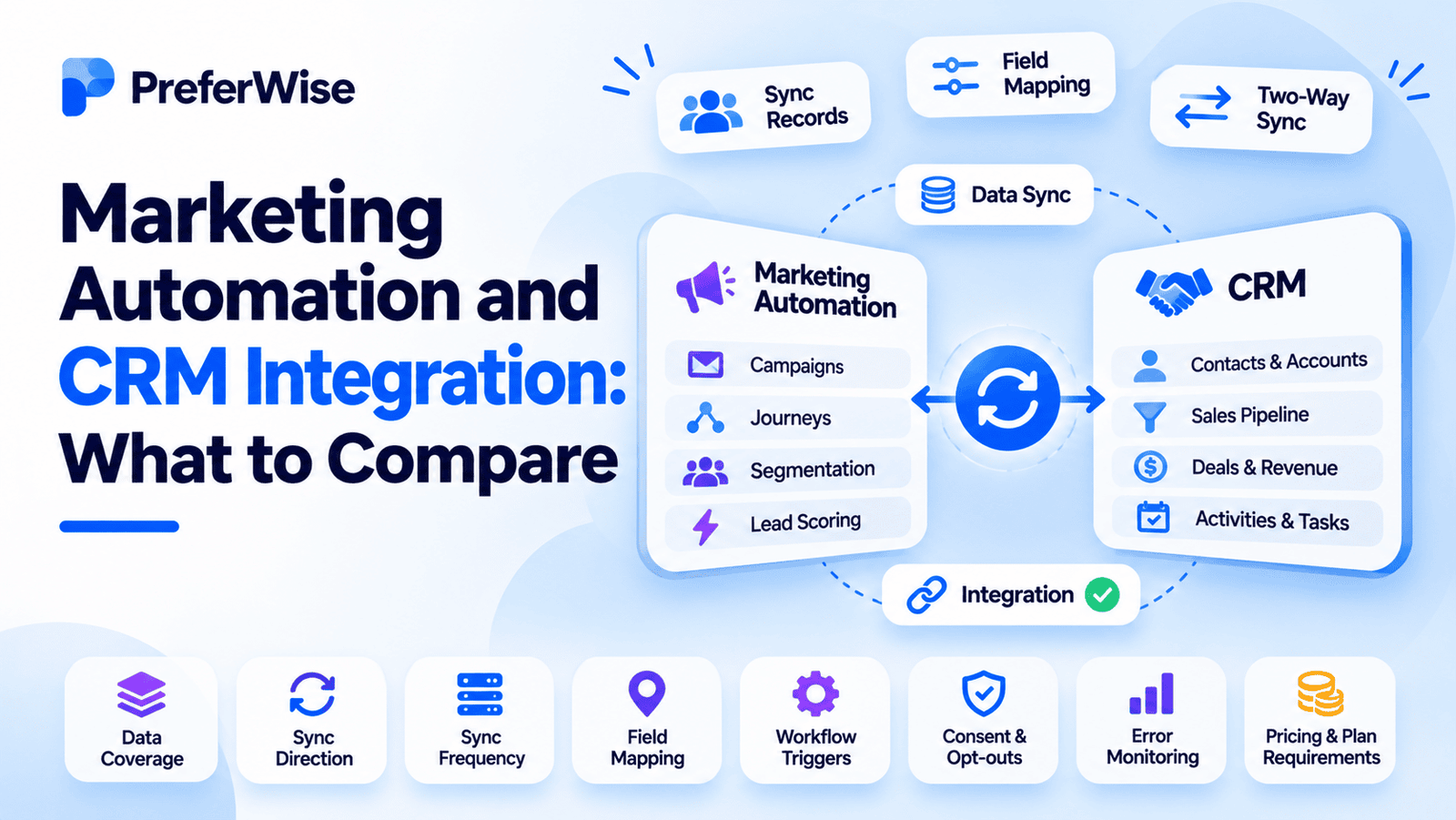
Marketing automation and CRM software work best when they share accurate customer data. But an integration that looks simple on a vendor’s website can become complicated when you need custom fields, two-way syncing, lead routing, or reliable reporting.
Before choosing a platform, compare how the integration handles data, workflows, timing, errors, and ownership. This guide explains what to check, which questions to ask vendors, and how to test an integration before rolling it out.
What is marketing automation and CRM integration?
Marketing automation and CRM integration connects a marketing platform with a customer relationship management system. The connection allows both systems to use relevant customer and prospect information instead of keeping separate, disconnected records.
A CRM usually stores information about people, companies, sales activity, and opportunities. Marketing automation software uses customer data and engagement signals to run campaigns, segment audiences, and trigger messages or journeys.
When integrated, a marketing platform may send engagement data to the CRM, while the CRM may send lifecycle stages, sales ownership, or deal updates back to the marketing platform. The exact data and actions depend on the connector.
CRM data
Contact details, company records, sales owner, lifecycle stage, opportunity status, and sales activity.
Marketing data
Campaign engagement, form submissions, lead scores, email interactions, preferences, and journey activity.
If you are still deciding which system does what, read Marketing Automation vs CRM: What’s the Difference?.
Why CRM integration matters
Without a reliable connection, marketing and sales teams may work from different versions of the same customer record. A lead may receive a nurture email after becoming a customer, or sales may miss useful context about a prospect’s engagement.
A well-configured integration can help teams:
- Keep contact and account information consistent across systems.
- Use CRM attributes to build more relevant marketing segments.
- Send qualified leads to the right sales owner.
- Trigger journeys when lifecycle stages or deal statuses change.
- Share marketing engagement with sales teams.
- Connect campaign activity with pipeline and revenue reporting.
Integration alone does not guarantee accurate attribution or better lead quality. Those outcomes depend on data definitions, tracking, workflow rules, and how teams use the systems.
Native integration vs. middleware vs. API
There are three common ways to connect a CRM with marketing automation software. The best choice depends on the systems you use, how much customization you need, and who will maintain the connection.
| Integration method | How it works | Best fit | What to watch |
|---|---|---|---|
| Native connector | A vendor-built connection between two supported platforms. | Teams using common CRM and marketing automation products. | Plan limits, supported fields, object coverage, and sync controls. |
| Middleware | A third-party integration service moves or transforms data between systems. | Teams connecting several tools or handling custom workflows. | Additional cost, another service to maintain, and possible sync delays. |
| API or custom integration | A custom-built connection using platform APIs or webhooks. | Teams with specific data rules or integration requirements. | Development effort, API limits, monitoring, and ongoing maintenance. |
A native connector is often the simplest starting point. Still, check the documentation before assuming it supports every field or workflow you need. A vendor may support basic contact syncing while leaving custom objects or advanced routing to a separate integration.
What to compare before choosing a platform
Use the criteria below to compare integration capabilities. Ask vendors to demonstrate the features using your CRM configuration, rather than relying on a general statement that the platforms “integrate.”
| Comparison point | What to ask | Why it matters |
|---|---|---|
| CRM compatibility | Does it support our exact CRM product, edition, and configuration? | Some connectors require a specific plan or permission level. |
| Data coverage | Which standard and custom objects can sync? | Contact sync may not include accounts, opportunities, or custom objects. |
| Sync direction | Can each object sync one-way or both ways? | Two-way sync can reduce manual work, but needs clear field ownership. |
| Sync timing | Is data updated in real time, through events, or on a schedule? | Delay can affect lead routing, suppression, and time-sensitive journeys. |
| Field mapping | Can we map custom fields and define which system owns each value? | Incorrect mappings can overwrite or misclassify customer data. |
| Record matching | How are duplicates, merges, and conflicting records handled? | Bad matching can create duplicate contacts or attach activity to the wrong person. |
| Workflow actions | Can CRM events trigger journeys, alerts, tasks, or lead assignment? | Basic syncing may not support the automation your team expects. |
| Consent handling | Do opt-outs and suppression changes sync across both systems? | Consent status must be handled consistently across marketing tools. |
| Monitoring | Can admins inspect sync history, errors, and retries? | Teams need a way to find and fix failed updates. |
| Pricing and access | Are the required integration features included in our plan? | Some capabilities may require a higher tier, add-on, or paid connector. |
Check data coverage first
List the records your team actually uses. Common examples include contacts, leads, accounts, opportunities, campaign members, and custom objects. Then confirm which records the integration can create, read, update, or associate.
Do not assume that support for contacts means support for every related CRM object. If your reporting or automation depends on opportunity data, ask the vendor to demonstrate that specific connection.
Understand sync direction and field ownership
A one-way sync sends data from one system to another. A two-way sync allows both systems to update shared records. Two-way sync can be useful, but it can also create conflicts when both platforms can edit the same field.
Define a source of truth for each important field. For example, sales ownership may be controlled by the CRM, while marketing engagement is recorded by the marketing platform. Avoid allowing both systems to overwrite a field without a clear rule.
Ask how quickly data updates
“Syncs automatically” does not tell you how long an update takes. Ask whether updates happen immediately, through event-based triggers, or on a scheduled interval. Also ask what happens when the sync queue is delayed or a platform is unavailable.
Check custom fields and data mapping
Most teams have fields beyond the standard CRM schema. Examples include product interest, subscription status, region, lead source detail, or customer tier.
Confirm whether the connector supports custom field mapping, compatible field types, default values, and rules for blank values. A field that exists in both systems may still need an explicit mapping.
Review error handling and monitoring
Every integration can encounter errors. A record may fail because a required field is blank, a value is invalid, an API limit is reached, or the receiving system rejects the update.
Check whether admins can view failed records, understand the reason, retry the update, and receive alerts for repeated failures. If troubleshooting depends on vendor support alone, that may slow down your operations.
What data should sync between CRM and marketing automation?
The right data depends on your sales process and campaign strategy. Start with the fields required to identify people, segment audiences, coordinate sales activity, and measure results.
| Data group | Examples | Typical use |
|---|---|---|
| Contact and account data | Email, name, company, region, role, account ID | Audience segmentation and record matching. |
| Lifecycle data | Lead stage, qualification status, customer status | Entry, exit, and transition rules for journeys. |
| Sales ownership | Owner, territory, assigned team | Lead routing, alerts, and sales follow-up. |
| Marketing engagement | Form submissions, campaign interactions, lead score | Sales context and qualification signals. |
| Opportunity data | Deal stage, amount, close date, outcome | Customer journeys and pipeline reporting. |
| Consent and preferences | Opt-out status, communication preference, consent source | Suppression and communication controls. |
CRM integration workflows to test
A vendor demo should include real workflows, not only a screen showing that two platforms are connected. These examples help reveal gaps in sync behavior and automation support.
1. A new lead submits a form
A person submits a marketing form. The platform creates or updates the matching CRM record, stores the source, and applies the correct lifecycle stage. Test what happens if the email address already exists.
2. A lead reaches a qualification threshold
A lead score reaches the agreed threshold. The CRM receives the score or qualification status, assigns an owner, and creates a follow-up task or alert. Confirm whether the score update arrives quickly enough for your sales process.
3. A deal changes stage
A sales representative moves an opportunity to a new stage. The marketing platform uses that change to adjust the customer journey, such as pausing a prospect nurture or sending relevant onboarding content.
4. A contact opts out
A contact unsubscribes or changes communication preferences. Verify that the status reaches the other system and that the contact is suppressed from the relevant marketing messages. Test this behavior across the systems and channels you use.
5. A deal closes
An opportunity closes. The CRM records the outcome, and the marketing platform retains the relevant campaign and engagement history. Check whether the reporting setup can connect campaign activity with the opportunity without double-counting or losing attribution data.
Common CRM integration problems
Duplicate records
Duplicate contacts can appear when the systems use different matching rules or when a connector creates records without checking for an existing match. Confirm the matching identifiers and test duplicate creation, merge, and update scenarios.
Conflicting field values
A CRM and marketing platform may both contain a value for the same field. If each system can update it, a change in one platform may overwrite a newer value in the other. Set ownership rules for important fields and document exceptions.
Delayed or incomplete sync
Scheduled syncs, API limits, and failed jobs can delay updates. This can affect lead assignment, time-sensitive messages, and suppression rules. Check the expected delay and whether admins can identify records that did not sync.
Custom fields are missing
A connector may support standard fields but require manual configuration for custom fields. Confirm the field types, mapping process, and any limits before building campaigns around those attributes.
Lifecycle stages do not match
Teams sometimes use different definitions for a lead, qualified lead, opportunity, and customer. If the systems use different lifecycle rules, a record can move into the wrong journey or remain in a campaign after its status changes.
Consent status is inconsistent
A contact’s opt-out or communication preference may be stored in more than one system. Confirm which system controls the status, how updates sync, and how each platform applies suppression rules. Include this in the integration test plan.
Reporting does not line up
Marketing and sales reports may use different attribution windows, campaign definitions, or opportunity rules. Define how campaign influence and revenue are measured before comparing reports across platforms.
How to test a CRM integration before launch
A small pilot can uncover problems before the integration affects the full database. Use test records or a sandbox where available, and document the expected result for each case.
-
Define the data and workflow scope.
List the records, fields, sync direction, and automation triggers required for the first release. Agree on which system owns each important field. -
Confirm access and plan requirements.
Check permissions, supported CRM editions, API access, connector limits, and any paid features required for the integration. -
Test record creation and updates.
Create a new record, update an existing one, and verify that mapped fields arrive in the expected system. Include custom fields. -
Test duplicates and conflicts.
Use an existing email address, change a shared field in each system, and test how merges and conflicting values are handled. -
Test workflow triggers and suppression.
Run the lead qualification, lifecycle change, deal update, and opt-out scenarios. Confirm that each automation starts or stops as expected. -
Review errors and reporting.
Check sync history, failed records, retry behavior, and whether campaign and opportunity data appear correctly in reports. -
Launch gradually and monitor.
Start with a limited audience or workflow. Monitor data quality and sync failures before expanding the integration.
CRM integration comparison checklist
Use this checklist during vendor evaluation. A “yes” should mean the vendor has demonstrated the capability or provided documentation for your specific setup.
- Our exact CRM product and edition are supported.
- The integration supports the records and custom objects we need.
- We understand which objects sync one-way and which sync both ways.
- Sync timing meets our lead routing and campaign requirements.
- Custom fields can be mapped with clear ownership rules.
- Duplicate matching, merging, and conflict resolution are documented.
- CRM events can trigger the required marketing workflows.
- Opt-outs and communication preferences sync correctly.
- Admins can view sync errors, history, and retry options.
- The required integration features are included in the planned budget.
- We have tested the integration using representative records and workflows.
For help comparing platforms, see our guide to the best marketing automation software. Teams evaluating B2B use cases can also review the best B2B marketing automation platforms.
How to choose the right integration for your team
The right integration is the one that supports your actual data and workflow requirements without adding more maintenance than your team can handle.
For small teams
Start with a native connector if it supports your core fields and workflows. Keep the first implementation focused on contact sync, lifecycle stages, and basic lead handoff. See marketing automation software for small businesses.
For B2B teams
Prioritize account and opportunity data, lead routing, sales activity, lifecycle definitions, and campaign-to-pipeline reporting. Confirm whether the integration supports your sales process.
For complex data environments
Consider middleware or a custom API when you need several systems, custom transformations, or more control over sync behavior. Assign clear technical ownership for monitoring and maintenance.
For teams with tight budgets
Check whether integration access, API usage, or advanced workflow features require a higher plan. Compare the total cost, not only the starting subscription price. See marketing automation software pricing.
If you are comparing products, focus on documented capabilities and test results. A longer feature list is not useful if the connector cannot reliably support your data model.
Frequently asked questions
What is CRM integration in marketing automation?
CRM integration connects a marketing automation platform with a CRM so that relevant customer records, lifecycle information, engagement data, and workflow updates can move between the systems.
Can marketing automation and CRM software sync data both ways?
Many integrations support two-way syncing for at least some records or fields. The exact direction depends on the connector and configuration. Check whether each object supports one-way or two-way sync and how conflicting values are handled.
What should sync between a CRM and marketing automation platform?
Common data includes contact and account details, lifecycle stages, lead scores, sales ownership, opportunity status, marketing engagement, and communication preferences. Sync only the fields needed for your workflows and reporting.
Is a native CRM integration better than using middleware?
A native connector is often easier to configure and maintain. Middleware can be useful when you need to connect several systems, transform data, or support workflows that a native connector does not cover. Compare the required features, cost, and maintenance.
How do I know if a CRM integration is working correctly?
Test record creation, updates, duplicates, field mapping, workflow triggers, opt-outs, and error handling. Review sync history and confirm that the resulting data and actions match your expected outcomes.
Does CRM integration improve marketing attribution?
It can make campaign and opportunity data easier to connect, but integration alone does not guarantee accurate attribution. Teams still need consistent campaign tracking, lifecycle definitions, attribution rules, and reporting configuration.
Sources and further reading
How we evaluated these tools
We compare tools on pricing (including plan limits and add-ons), features, AI and automation, integrations, ease of use, support and fit for the use case. We use vendor pricing and documentation pages, note when information was checked, and do not let commercial relationships decide the order. Read our full ranking methodology.