
ClickUp vs monday.com in 2027: Price, Features and Which to Pick
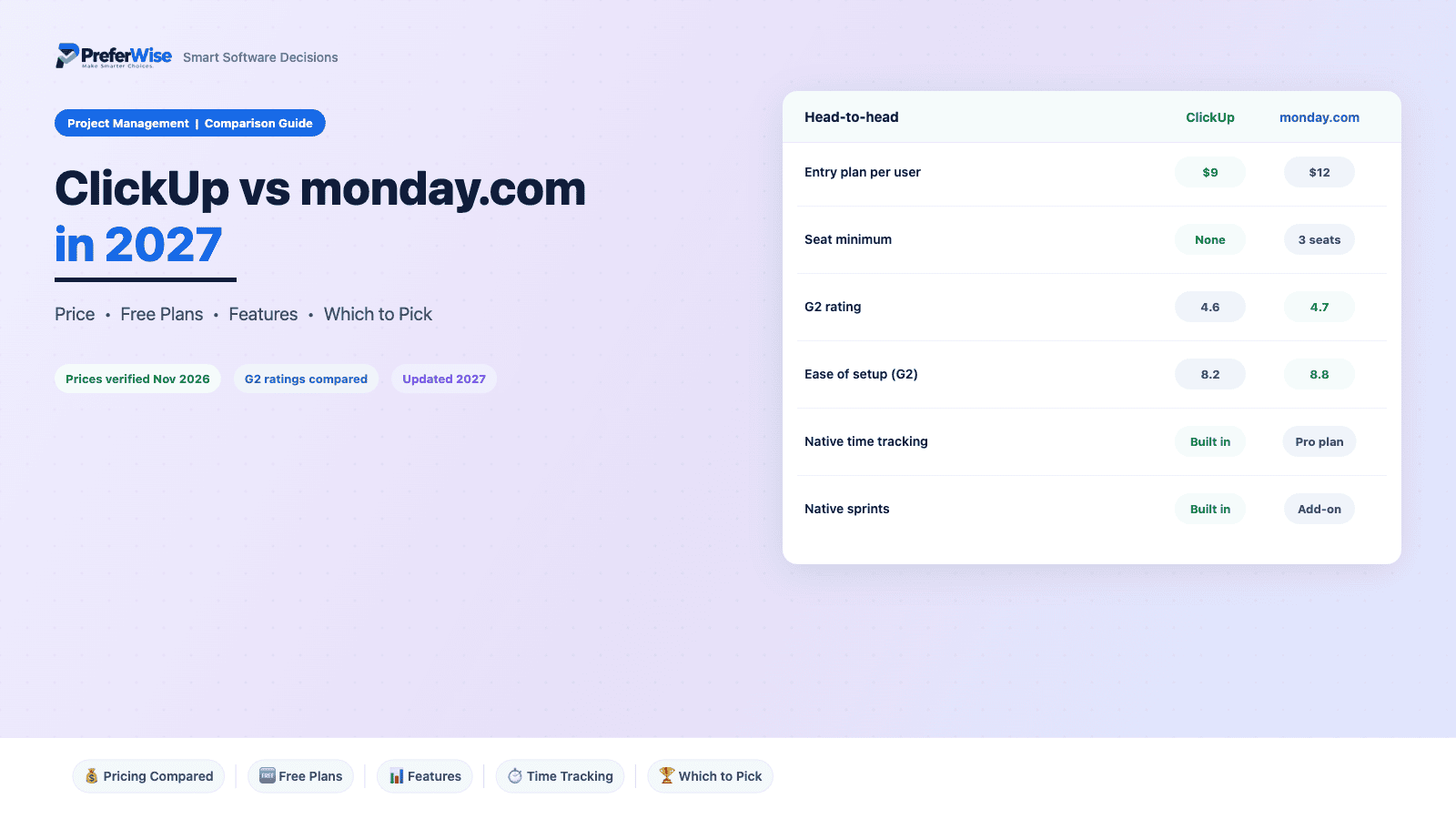
In the ClickUp vs monday.com choice, one of these tools charges you for seats you do not use, and the other hands you time tracking at the entry price. monday.com asks for 3 seats minimum and sells seats in blocks. ClickUp has no seat minimum and includes time tracking on paid plans from $9. That changes the bill by hundreds of dollars a year, so we priced both for 3 to 50 people before we compared anything else.
Last updated: November 2026 · Written by Prasenjit · Pricing verified November 2026
The Short Answer
ClickUp wins on price, time tracking, sprints and team-of-two economics. monday.com wins on ease of setup and on feel for non-technical teams. At 10 people, ClickUp Core costs $360 a year less than monday.com Standard, and ClickUp Business costs $240 a year less than monday.com Pro. For time tracking, the gap reaches $1,200 a year. Pick ClickUp if someone will own the setup. Pick monday.com if nobody will.
Both tools sit near the top of most shortlists. If you have not narrowed the field yet, start with our best project management software roundup. This page assumes you already picked these two. Comparing against Asana instead? See ClickUp vs Asana or Asana alternatives. For the Asana matchup with monday.com, read monday.com vs Asana.
Core at $9 and Business at $17 undercut monday.com Standard ($12) and Pro ($19), and monday.com bills in seat blocks on top. At 10 people the entry gap is $360 a year.
Native time tracking comes with ClickUp paid plans from $9. On monday.com it needs Pro at $19, which costs $1,200 a year more at 10 people.
G2 reviewers score its ease of setup 8.8 against 8.2 for ClickUp, and ease of use 9.0 against 8.5.
ClickUp has no seat minimum. monday.com needs 3 seats on every paid plan.
Sprints with burndown and velocity are built in. monday.com sells that workflow as a separate dev product.
Color-coded boards and fewer decisions suit marketing, ops and HR teams with no workspace owner.
Side-by-Side Snapshot
Prices show USD per user a month on annual billing unless noted.
| Feature | ClickUp | monday.com |
|---|---|---|
| Best for | Teams that want one workspace for tasks, docs, goals and sprints, and have someone to set it up | Teams that want visual boards that non-technical people grasp quickly |
| Free plan | Unlimited members, 60 MB storage, capped use of Gantt and custom fields | 2 seats, 3 boards, table and Kanban views only |
| Entry plan | Core: $9 per user (annual), $12 monthly | Standard: $12 per seat (annual); Basic is $9 but lacks Timeline and guests |
| Growth plan | Business: $17 per user (annual), $25 monthly | Pro: $19 per seat (annual) |
| Minimum seats | No minimum on paid plans | 3 on every paid plan, sold in blocks |
| Native time tracking | Included on paid plans | Pro only |
| Dependencies | Included on paid plans | Pro only |
| Sprints | Native Sprints ClickApp with burndown and velocity | Needs the separate monday dev product |
| Guests | Free guests, but billing rules catch some teams | Guest access starts on Standard |
| G2 rating | 4.6 from 13,719 reviews | 4.7 from 17,144 reviews |
Price and Team Size
Per-seat prices hide the real gap, because monday.com bills seat blocks and ClickUp bills per user. These tables compare like with like: ClickUp Core against monday.com Standard (the first monday.com plan with Timeline and guests), then ClickUp Business against monday.com Pro. Annual billing throughout.
Entry plans: ClickUp Core vs monday.com Standard
| Team size | monday.com seats billed | ClickUp Core | monday.com Standard | Gap a month | Gap a year |
|---|---|---|---|---|---|
| 3 people | 3 | $27 | $36 | ClickUp saves $9 | $108 |
| 5 people | 5 | $45 | $60 | ClickUp saves $15 | $180 |
| 7 people | 10 | $63 | $120 | ClickUp saves $57 | $684 |
| 10 people | 10 | $90 | $120 | ClickUp saves $30 | $360 |
| 25 people | 25 | $225 | $300 | ClickUp saves $75 | $900 |
| 50 people | 50 | $450 | $600 | ClickUp saves $150 | $1,800 |
Growth plans: ClickUp Business vs monday.com Pro
| Team size | monday.com seats billed | ClickUp Business | monday.com Pro | Gap a month | Gap a year |
|---|---|---|---|---|---|
| 3 people | 3 | $51 | $57 | ClickUp saves $6 | $72 |
| 5 people | 5 | $85 | $95 | ClickUp saves $10 | $120 |
| 7 people | 10 | $119 | $190 | ClickUp saves $71 | $852 |
| 10 people | 10 | $170 | $190 | ClickUp saves $20 | $240 |
| 25 people | 25 | $425 | $475 | ClickUp saves $50 | $600 |
| 50 people | 50 | $850 | $950 | ClickUp saves $100 | $1,200 |
Cost calculator
Set your team size, tick what you need, and the calculator picks the cheapest plan on each tool that includes it. It then compares the bill, flags unused monday.com seats, and shows the three-year cost. For a full software stack, try our price estimator, or read the wider project management software pricing guide.
See all four plans at this team size
| Plan | Seats billed | Per month | Per year |
|---|---|---|---|
| ClickUp Core | |||
| monday.com Standard | |||
| ClickUp Business | |||
| monday.com Pro |
USD, annual billing. ClickUp bills per user with no minimum. monday.com bills a minimum of 3 seats, then blocks of 5 and 10, then steps of five, as published comparisons describe. Plan limits come from published breakdowns, and ClickUp automation allowances differ by source, so confirm both on the vendors’ pricing pages.
ClickUp vs monday.com Free Plans
ClickUp’s free plan is the more generous one. It takes unlimited members, with 60 MB of storage and capped use of features such as Gantt and custom fields. monday.com gives 2 seats and 3 boards, with table and Kanban views only and no automations or integrations. Any monday.com team of three or more hits the wall on day one.
A small group can try ClickUp’s free plan for a real project and learn whether the tool fits. The 60 MB storage cap arrives fast once you attach files. If you need a free tool that lasts longer, read our guide to the best free project management software.
ClickUp vs monday.com, Feature by Feature
Both tools cover the basics: tasks, subtasks, boards, calendars and automations. Where time tracking starts, how each tool handles sprints, and what guests cost change real decisions, so read those rows first.
Views and Gantt
ClickUp: Free plan is limited to table and Kanban. Timeline starts on Standard, and one comparison places the Gantt-style view on Pro, so check the plan page for your view.
monday.com: The free plan includes capped use of Gantt. Paid plans add more views, and a ClickUp-written comparison counts 15+ views against 8+ for monday.com.
Automations
ClickUp: Basic includes none. Standard allows 250 automation and 250 integration actions a month, and Pro raises both to 25,000.
monday.com: The free plan allows about 100 runs a month and Core about 1,000, according to published breakdowns. Business raises the cap.
Dependencies
ClickUp: Dependency columns sit on Pro at $19.
monday.com: Dependencies come with ClickUp paid plans.
Time tracking
ClickUp: Native time tracking starts on Pro at $19.
monday.com: Native time tracking comes with paid plans from $9.
Sprints and dev work
ClickUp: Sprint management needs the separate monday dev product, so price that before you commit.
monday.com: A native Sprints ClickApp offers burndown and velocity charts.
Guests and clients
ClickUp: Guest access starts on Standard. Basic users cannot invite outside collaborators.
monday.com: Guests are free on paper. Third-party reports describe guests converting into paid seats when assigned work, so test one real guest first.
AI add-ons
ClickUp: AI features use credits on paid plans, and published breakdowns put them at $0.01 a credit. Budget from the live page.
monday.com: Brain AI sells on top of the seat price. One tracker lists $9 and $28 per user a month for its two tiers, and Brain bills per paid member, so confirm the live price.
Three Questions That Settle It
Who will own the setup?
ClickUp rewards a builder. Statuses, custom fields, views and automations are all open to change, so someone has to decide how work should flow and set it up once. Without that person, every space looks different and nobody trusts the data. monday.com makes more of those decisions for you, and its boards look sensible on day one. G2 reviewers score its setup 8.8 against 8.2 for ClickUp. If you cannot name your ClickUp owner today, pick monday.com.
Do you need time tracking or sprints?
Time tracking comes with ClickUp paid plans from $9. On monday.com it needs Pro at $19. For 10 people that is $90 against $190 a month, a $1,200 yearly gap. Sprints widen the gap, because ClickUp includes them and monday.com sells that workflow as a separate dev product. If you need neither, the price gap shrinks to the entry-plan difference of $360 a year at 10 people.
How many people will use it?
Team size drives the monday.com bill more than any feature. Teams of 3, 5, 10, 15, 25 and 50 fit the blocks. A team of 7 pays for 10 seats, so you carry 3 empty ones. ClickUp bills per user, so seven people cost seven seats. If your team sits just above a block, run both numbers before you fall for the monday.com design.
ClickUp vs monday.com Ratings and Ease of Use
G2 shows monday.com ahead on every score we checked, across 17,144 reviews against 13,719 for ClickUp. The gaps are small, so use them as tie-breakers.
| G2 measure | ClickUp | monday.com |
|---|---|---|
| Overall rating | 4.6 / 5 | 4.7 / 5 |
| Ease of use | 8.5 | 9.0 |
| Ease of setup | 8.2 | 8.8 |
| Quality of support | 8.8 | 8.9 |
| Meets requirements | 8.9 | 9.0 |
The pattern matches the setup question. monday.com scores higher where adoption matters (ease of use 9.0 against 8.5, ease of setup 8.8 against 8.2). The support and requirements scores sit within 0.1 of each other, so neither tool wins on depth or help. A 0.6 setup gap sounds tiny. In practice it shows up as the extra week a new team needs before people use the tool daily. Scores come from G2 compare pages with Asana, and each score is that product’s overall G2 score.
Hidden Costs
These items rarely show up on pricing pages and show up on invoices. Check them before you sign, and screenshot the page you buy from.
ClickUp: list price against promo price
The pricing page shows $9 for Core and $17 for Business beside list prices of $12 and $25. Older write-ups still quote legacy plan names and prices such as $7 and $12. Screenshot the page you buy from and ask what the second year costs.
ClickUp: guest billing
Guests are free on paper. Third-party reports describe guests turning into paid seats when you assign them work. Test with one real guest before you invite a client list.
ClickUp: AI as an add-on
Brain AI sells on top of the seat price. One tracker lists $9 and $28 per user a month for its two tiers, and Brain bills per paid member, not per person who uses it. Budget from the live page.
monday.com: the 3-seat minimum
Every paid plan starts at 3 seats. A 2-person team pays $36 a month on Standard, against $18 for 2 seats of ClickUp Core.
monday.com: seat blocks
Published breakdowns say seats come in blocks: 3, 5, 10, then steps of five. We priced that way. A team of 7 pays for 10 seats ($120 a month on Standard), and a team of 12 pays for 15 ($180). Check your exact count at checkout.
monday.com: Basic is not the real entry plan
Basic at $9 lacks Timeline, guest access and automations. Price Standard at $12 for a fair comparison with ClickUp Core.
monday.com: time tracking and dependencies
Both sit on Pro at $19. A 10-person team on Pro pays $190 a month, against $90 for ClickUp Core, which includes time tracking.
Both: monthly billing
ClickUp Core costs $12 monthly against $9 annually, a 33 percent premium that adds $360 a year for 10 people. monday.com also charges more for monthly billing, so compare plans on the same cycle.
Each Tool in Brief
ClickUp in brief
ClickUp wants to hold the whole workday: tasks, docs, goals, whiteboards, sprints and time tracking in one workspace. Paid plans start at $9 with no seat minimum, and time tracking and dependencies come with them. The breadth has a cost. Skip the setup and you get a cluttered workspace that nobody trusts.
Good
- Cheaper at every team size we priced: $9 on Core, $17 on Business
- Time tracking and dependencies on paid plans, where monday.com asks for Pro
- No seat minimum and a free plan with unlimited members
- Native sprints with burndown and velocity charts
Watch out
- Lower G2 ease-of-setup score than monday.com (8.2 against 8.8)
- Promo prices of $9 and $17 sit beside list prices of $12 and $25, so ask what renewal costs
- Guest billing needs a test before you invite clients
- AI costs extra on top of seats
monday.com in brief
monday.com turns work into color-coded boards that people read at a glance. Reviewers on G2 give it the higher overall score and the higher ease-of-use and setup scores, and that shows when you roll it out to non-technical staff. The money side needs a closer look: three seats minimum, seats sold in blocks, and time tracking only on Pro.
Good
- Higher G2 scores on ease of use (9.0), setup (8.8) and overall rating (4.7)
- Visual boards that non-technical teams learn fast
- Pro allows 25,000 automation and integration actions a month
- Strong support score on G2 (8.9)
Watch out
- 3-seat minimum on every paid plan, so a team of 2 pays for 3
- Seat blocks inflate the bill: a team of 7 pays for 10 seats
- Time tracking and dependencies need Pro at $19
- Sprints need the separate monday dev product
Which to Pick
A 10-person team that needs time tracking
ClickUp Core at $90 a month. monday.com needs Pro for the same feature, and 10 seats of Pro cost $190.
A 7-person team on a tight budget
ClickUp Core at $63 a month. monday.com Standard bills 10 seats for $120, so the block pricing nearly doubles the gap.
A 2-person studio
ClickUp. Two seats cost $18 on Core, and monday.com charges for 3 seats at $36.
A software team that runs sprints
ClickUp. Native sprints with burndown and velocity charts come built in, and monday.com sells that workflow as a separate product.
A marketing or ops team with no tool owner
monday.com. Higher G2 ease-of-setup and ease-of-use scores and visual boards make it easier to get adopted. Back that up with a pilot, not a score.
A 25-person team that wants one tool for everything
ClickUp Business at $425 a month against $475 for monday.com Pro. Pick it only if someone owns the setup.
Switching Between ClickUp and monday.com
Moving between them costs more than the price gap suggests, mostly in lost custom fields, automations and attachments. ClickUp says it can import monday.com boards, items and basic fields, and that custom columns and automations need rebuilding. Import one pilot project first and check that due dates, assignees and files arrive intact. Keep the old tool on monthly billing until your team stops opening it, then cancel.
Frequently Asked Questions
Sources
- ClickUp pricing (vendor page, prices as in our pricing guide, November 2026)
- monday.com pricing (vendor page, read November 2026)
- G2: Asana vs ClickUp (ClickUp ratings and category scores, read November 2026)
- G2: Asana vs monday.com (monday.com ratings and category scores, read November 2026)
- Agiled: ClickUp vs monday.com (seat minimums, plan gating, automation limits and AI add-ons; a competing vendor wrote it, April 2026)
- ClickUp: ClickUp vs monday.com (view counts, sprints and migration notes; ClickUp wrote it, so it may favor ClickUp)
- CostBench: ClickUp vs monday.com (list prices and guest-billing notes; the page contains inconsistencies, so we used it only as a cross-check)
Prices and limits change frequently. Confirm the current details on each vendor’s site before you buy. Browse more guides in the Project Management Software category.
