
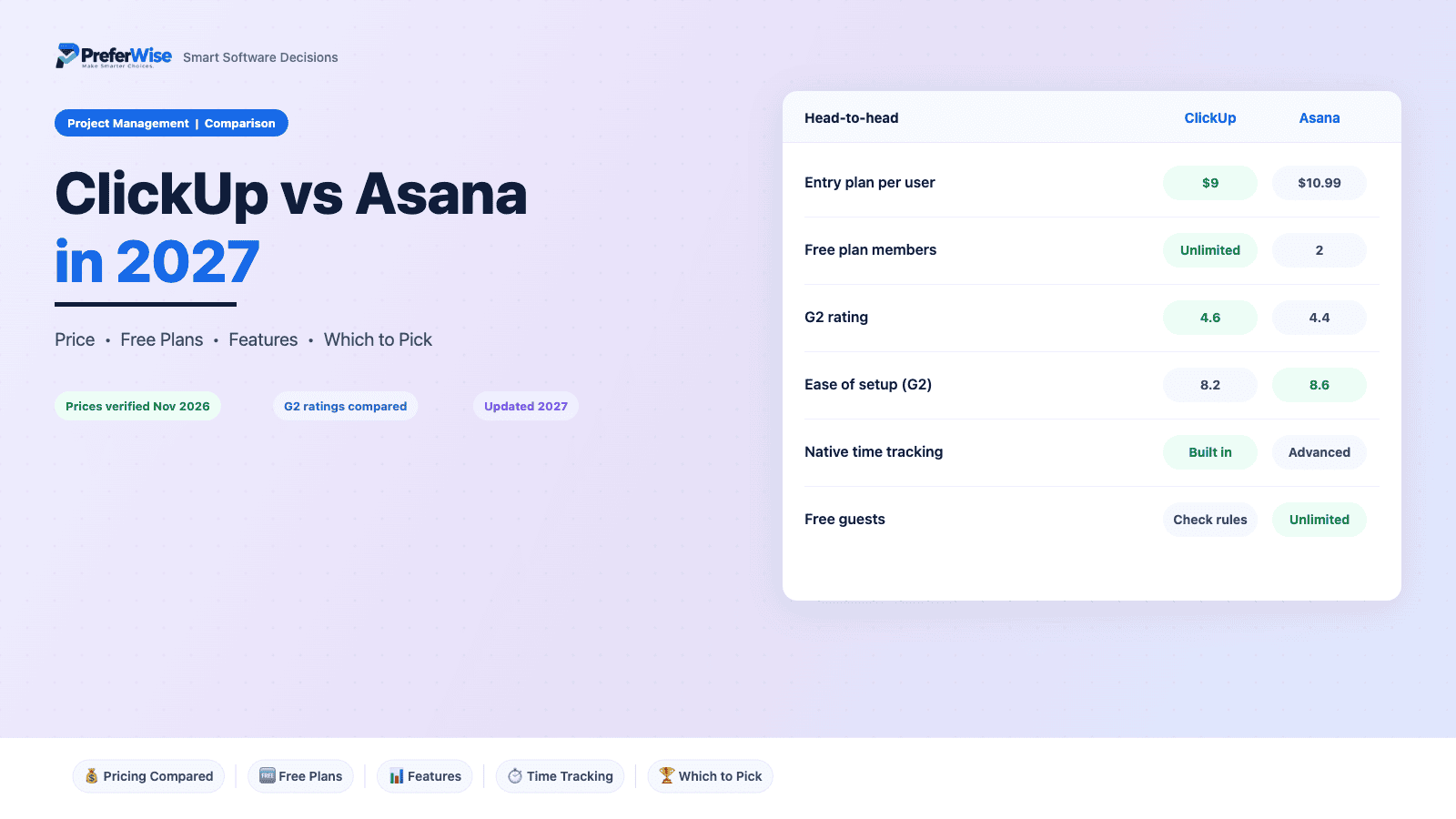
ClickUp vs Asana in 2027: Price, Features and Which to Pick
Comparisons of these two usually end with “it depends.” It does, but on three things you can check in ten minutes: whether outside guests touch your projects, whether anyone needs native time tracking, and who will own setup. Everything else here is price math and fine print, and we did that math for 5 to 50 people.
Last updated: November 2026 · Written by Prasenjit · Pricing verified November 2026
The Short Answer
ClickUp wins on price and depth. Asana wins on speed to adoption and on client-friendly guest access. At 10 people, ClickUp saves $239 a year on entry plans and $959 on growth plans. That money pays for a setup week, and a team with one person who enjoys building workflows gets a better tool out of the deal. A team without that person usually ends up with a messy workspace and a quiet return to spreadsheets.
Both tools sit near the top of most shortlists. If you have not narrowed the field yet, start with our best project management software roundup or the small business guide. This page assumes you already picked these two.
Core costs $9 against $10.99 for Asana Starter. The gap grows to $7.99 per user on growth plans.
Higher G2 ease-of-setup score (8.6 against 8.2) and a narrower feature set that people learn quickly.
Custom statuses, fields, docs and dashboards let one workspace replace several tools.
Starter includes unlimited free guests. Read ClickUp guest billing before you invite clients.
Asana free stops at 2 users. ClickUp free takes any number of members but caps storage at 60 MB.
Advanced adds approvals, proofing, portfolios and goals in one plan.
Side-by-Side Snapshot
Prices show USD per user a month on annual billing unless noted.
| Feature | ClickUp | Asana |
|---|---|---|
| Best for | Teams that want one customizable workspace | Teams that want clear task ownership with little setup |
| Free plan | Unlimited tasks and members, 60 MB storage, capped use of Gantt and custom fields | Personal: 2 users, unlimited tasks and projects, 100 MB per file |
| Entry plan | Core: $9 per user (annual), $12 monthly | Starter: $10.99 per user (annual), $13.49 monthly |
| Growth plan | Business: $17 per user (annual), $25 monthly | Advanced: $24.99 per user (annual), $30.49 monthly |
| Timeline or Gantt | Capped on Free, open on paid plans | Starts on Starter |
| Native time tracking | Built in; confirm which tier on the pricing page | Advanced only; Starter uses integrations |
| Portfolios and goals | Goals and dashboards on paid plans; workload on Business | Portfolios, goals and resource management on Advanced |
| Free guests | Free guests, but billing rules catch some teams | Unlimited free guests from Starter |
| G2 rating | 4.6 from 13,719 reviews | 4.4 from 13,867 reviews |
| Integrations (Capterra) | 1,000+ | 200+ plus an open API |
Price and Team Size
Per-user prices look close. Multiply by headcount and the gap grows. These tables compare ClickUp Core with Asana Starter, then ClickUp Business with Asana Advanced, on annual billing.
Entry plans: ClickUp Core vs Asana Starter
| Team size | ClickUp Core | Asana Starter | Gap a month | Gap a year |
|---|---|---|---|---|
| 5 people | $45 | $54.95 | $9.95 | $119.40 |
| 10 people | $90 | $109.90 | $19.90 | $238.80 |
| 25 people | $225 | $274.75 | $49.75 | $597 |
| 50 people | $450 | $549.50 | $99.50 | $1,194 |
Growth plans: ClickUp Business vs Asana Advanced
| Team size | ClickUp Business | Asana Advanced | Gap a month | Gap a year |
|---|---|---|---|---|
| 5 people | $85 | $124.95 | $39.95 | $479.40 |
| 10 people | $170 | $249.90 | $79.90 | $958.80 |
| 25 people | $425 | $624.75 | $199.75 | $2,397 |
| 50 people | $850 | $1,249.50 | $399.50 | $4,794 |
Cost calculator
Move the slider to your team size. For a full software stack, try our price estimator, or read the wider project management software pricing guide.
| Plan | Annual billing / mo | Monthly billing / mo | Annual billing / year |
|---|---|---|---|
| ClickUp Core | |||
| Asana Starter | |||
| ClickUp Business | |||
| Asana Advanced |
USD. ClickUp monthly prices: Core $12, Business $25. Asana monthly prices: Starter $13.49, Advanced $30.49.
Free Plans
Treat both free plans as trials. Asana Personal tops out at 2 users, so any team of three or more hits the wall on day one. ClickUp lets everyone in, but 60 MB of storage disappears after a handful of screenshots and a couple of PDFs, and usage caps apply to Gantt (60 uses) and custom fields (100 uses). Both limits push you toward a paid plan within weeks.
Two freelancers sharing a client project can live on Asana Personal indefinitely. A five-person team trialling ClickUp for free will learn the product, which is the point. Plan to pay before you load real client files. If you want a free tool that lasts longer, read our guide to the best free project management software.
Feature by Feature
Most feature gaps matter less than they look, because both tools cover the basics: tasks, subtasks, boards, calendars and automations. Two gaps change real decisions: where time tracking starts and how each tool handles guests. Read those rows first.
Views and Gantt
ClickUp: ClickUp ships list, board, calendar, Gantt and more. Free caps Gantt at 60 uses, and paid plans lift the cap, according to third-party trackers.
Asana: Asana offers list, board and calendar on Personal. Timeline (its Gantt) starts on Starter at $10.99.
Automations
ClickUp: Free allows around 100 automation runs a month. Core includes 1,000 runs, and Business raises the cap.
Asana: Starter includes unlimited automations, forms, custom fields and templates.
Time tracking
ClickUp: Native time tracking sits among ClickUp’s core features. Trackers disagree on which tier unlocks it, so check the pricing page before you rely on it.
Asana: Native time tracking starts on Advanced at $24.99. Starter and Personal connect third-party trackers, and a Timesheets and Budgets add-on costs extra.
Reporting and dashboards
ClickUp: Advanced dashboards sit on paid plans. Business adds workload management.
Asana: Dashboards start on Starter. Portfolios, goals and resource management need Advanced.
Docs and whiteboards
ClickUp: Docs, whiteboards and goals live inside the workspace. This is the main reason teams cancel other tools.
Asana: Asana keeps its focus on tasks, projects and work tracking. Plan on a separate docs tool.
AI
ClickUp: ClickUp sells its Brain AI as a paid add-on and meters heavier features with credits. Sources disagree on the exact price, so read the live page.
Asana: Starter includes 50,000 AI Studio credits a month, but caps AI Teammates at 5 requests per user and 50 per account. Advanced raises credits to 75,000 and adds AI Meetings.
Security and SSO
ClickUp: Third-party trackers place Google SSO and unlimited user groups on Business. Enterprise covers advanced SSO. Confirm on the pricing page.
Asana: Google SSO ships on every plan. SAML SSO and SCIM provisioning need Enterprise.
Three Questions That Settle It
Who will own setup?
ClickUp rewards a builder. Statuses, custom fields, views and automations are all open to change, so someone has to decide how work should flow and set it up once. Without that person, every space looks different and nobody trusts the data. Asana makes more of those decisions for you. A new project looks sensible on day one, and people use it with almost no training. If you cannot name your ClickUp owner today, pick Asana.
Do clients or freelancers touch your projects?
Take an agency with 10 staff and 6 clients who comment on deliverables. On Asana Starter, that bill is 10 seats, or $109.90 a month, because Starter includes unlimited free guests. ClickUp Core also treats guests as free on paper, but third-party reports describe guests converting into paid seats when assigned work or when they share your email domain. Test that with one real guest before you commit. The savings of ClickUp only hold if guests stay free.
What will you need in 12 months?
Entry plans hide the real decision. Time tracking, portfolios, goals and approvals sit on Asana Advanced at $24.99 per user. For 10 people, Advanced costs $249.90 a month against $170 for ClickUp Business, a $959 yearly gap. Ask whether your team needs Asana’s portfolio view and approvals enough to pay that. If your needs stop at tasks, timelines and a little automation, Asana Starter at $109.90 or ClickUp Core at $90 will carry you for years.
Ratings and Ease of Use
With more than 13,000 G2 reviews each, neither score is noise, but the gaps are small. Ratings of 4.4 and 4.6 describe two well-liked products, so use the category scores as tie-breakers, not verdicts.
| G2 measure | ClickUp | Asana |
|---|---|---|
| Overall rating | 4.6 / 5 | 4.4 / 5 |
| Ease of use | 8.5 | 8.6 |
| Ease of setup | 8.2 | 8.6 |
| Quality of support | 8.8 | 8.5 |
| Meets requirements | 8.9 | 8.7 |
The pattern is consistent. Asana scores higher where adoption matters (ease of use, ease of setup). ClickUp scores higher where depth matters (support, meets requirements). Capterra reviewers say the same thing in prose: Asana is quick for small teams, and ClickUp offers more but can overwhelm new users. A 0.4 gap on setup (8.6 against 8.2) sounds tiny. In practice it shows up as the week one tool needs before people use it daily.
Integrations tilt toward ClickUp on paper, with Capterra listing 1,000+ against 200+ for Asana plus an open API. Vendors count differently, so skip the totals and check your five must-have apps on each list.
Hidden Costs
These items rarely show up on pricing pages and show up on invoices. Check them before you sign, and screenshot the page you buy from.
ClickUp: list price against promo price
The pricing page shows $9 for Core and $17 for Business beside list prices of $12 and $25. Screenshot the page you buy from and ask what the second year costs.
ClickUp: 60 MB free storage
Design files, screenshots and PDFs fill 60 MB fast. Free also caps Gantt at 60 uses and custom fields at 100 uses, so heavy users hit a wall inside weeks.
ClickUp: guest and member billing
One third-party review cites a guest who turned into a paid seat after receiving a task, and a bill that jumped overnight. We could not verify that case, so test with one guest and watch the invoice before you invite clients.
ClickUp: AI as an add-on
Brain AI sells on top of the seat price, and heavy AI features draw from credits. Sources list different add-on prices, so budget from the live page.
Asana: the Advanced jump
Time tracking, portfolios, goals, resource management and approvals all sit on Advanced at $24.99. Moving from Starter to Advanced raises a 10-person bill from $109.90 to $249.90 a month.
Asana: AI request caps
Starter allows 5 AI Teammates requests per user a month and 50 per account. Extra requests cost $0.50 each, prepaid.
Asana: add-ons and SSO
Timesheets and Budgets cost extra on Starter, Advanced and Enterprise. SAML SSO and SCIM need Enterprise, which has no public price.
Both: monthly billing
Monthly billing costs 33 percent more on ClickUp Core ($12 against $9) and 23 percent more on Asana Starter ($13.49 against $10.99). On 10 people that adds $360 and $300 a year.
Each Tool in Brief
ClickUp in brief
ClickUp wants to hold the whole workday: tasks, docs, goals, whiteboards and time tracking in one workspace. Low prices and a free tier with unlimited members keep cost friendly as a team grows. Breadth carries a cost. Skip the setup and you get a cluttered workspace that nobody trusts.
Good
- Cheaper per seat at every size we priced: $9 on Core, $17 on Business
- Docs, whiteboards, goals and time tracking live in the same workspace, so you can cancel other tools
- Higher G2 rating (4.6) and support score (8.8)
- More than 1,000 integrations listed on Capterra
Watch out
- Setup takes real time, and reviewers say new users feel overwhelmed
- Promo prices of $9 and $17 sit beside list prices of $12 and $25, so ask what renewal costs
- Guest billing needs a test before you invite clients
- AI costs extra on top of seats
Asana in brief
Asana keeps its focus on tasks, owners and due dates, and it does that cleanly. Projects look sensible from day one, rules run quietly in the background and new teammates need little training. Managers pay for that polish. Time tracking, portfolios and goals all wait on the $24.99 Advanced plan.
Good
- Fast adoption, backed by a G2 ease-of-setup score of 8.6
- Unlimited free guests from Starter, which suits client work
- Unlimited automations on Starter
- Portfolios, goals and approvals in one Advanced plan
Watch out
- Costs $1.99 more per seat than ClickUp Core and $7.99 more than ClickUp Business
- Free plan stops at 2 users
- Native time tracking needs Advanced
- AI Teammates cap at 5 requests per user a month on Starter
Which to Pick
A 12-person marketing team with a freelancer or two
Asana Starter. Campaign work moves between owners, nobody has time to configure software, and free guests cover the freelancers. Cost: $131.88 a month.
A 25-person ops or product team that wants its own workflows
ClickUp Core or Business. This is the team that gets value from custom statuses and views, and ClickUp Core at $225 a month undercuts Asana Starter by $49.75 at this size.
An agency with clients who comment on work
Asana Starter, unless a ClickUp guest test goes cleanly. Unlimited free guests remove the biggest billing risk.
A startup of 4 that wants one tool for tasks and docs
ClickUp. It replaces the separate docs tool, and the whole team fits in the free plan while you evaluate.
A team with approvals, proofing or portfolio reporting
Asana Advanced. ClickUp covers parts of this, but Asana packages approvals and portfolios together.
A team that resists new software
Asana, every time. A simple tool people open beats a powerful tool they avoid.
Switching Between Them
Moving between them costs more than the price gap suggests, mostly in lost custom fields and attachments. Import one pilot project first and check that due dates, assignees, custom fields and files arrive intact. ClickUp lists Asana among its import sources, and Asana exports project data, but field mapping varies. Keep the old tool on monthly billing until your team stops opening it, then cancel.
Frequently Asked Questions
Sources
- Asana pricing (vendor page, read November 2026)
- ClickUp pricing (vendor page, prices as in our pricing guide, November 2026)
- G2: Asana vs ClickUp (ratings and category scores, read November 2026)
- Capterra: ClickUp vs Asana (ratings and integration counts)
- CostBench: ClickUp plans and limits (free plan limits and automation allowances)
- eesel: ClickUp pricing (free plan limits and AI add-on notes; a competing vendor wrote it)
Prices and limits change frequently. Confirm the current details on each vendor’s site before you buy. Browse more guides in the Project Management Software category.
