
Best Mobile CRM Apps for Sales Reps in 2027
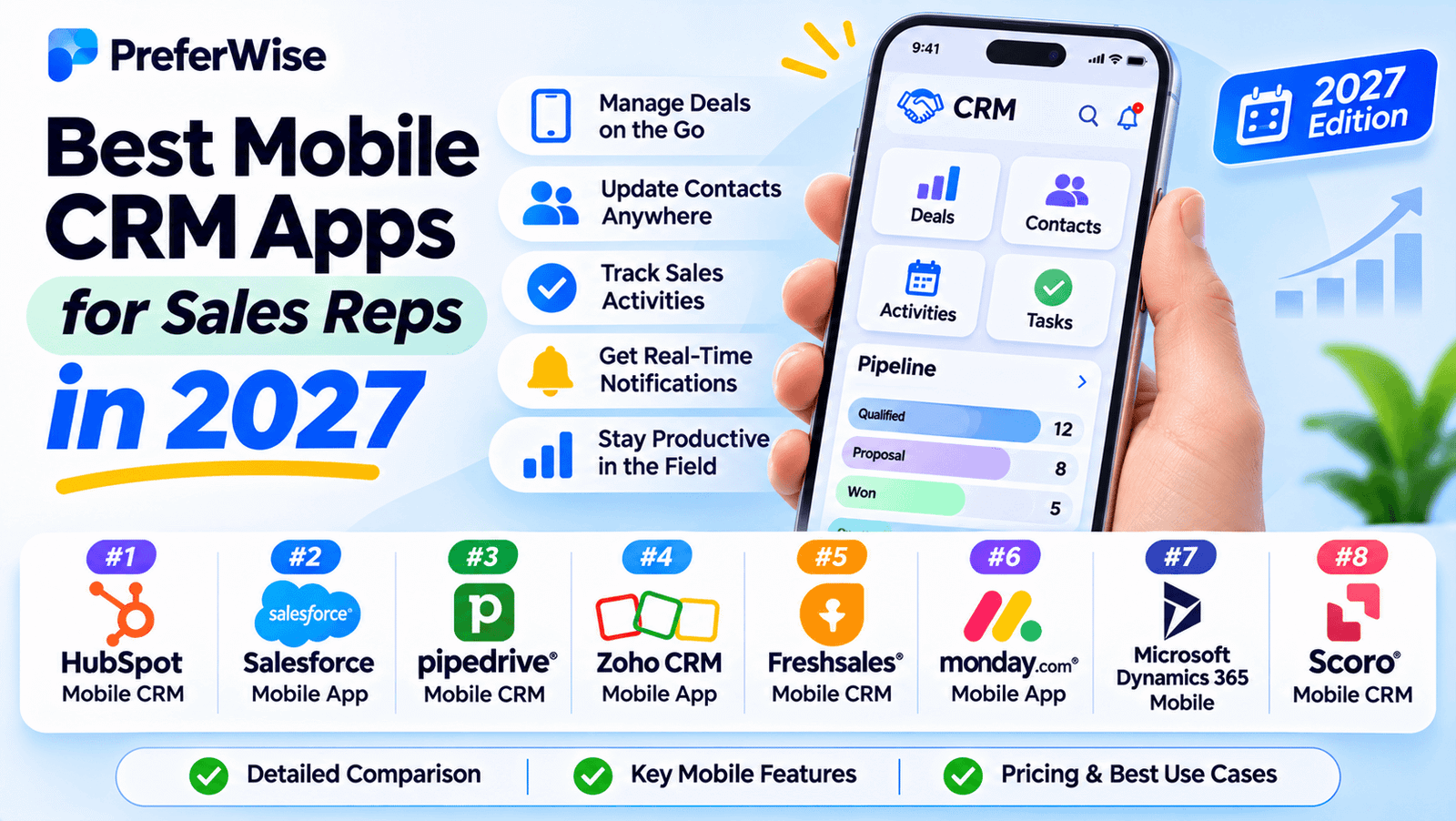
Compare mobile CRM apps that help sales reps manage leads, update deals, record customer interactions, and prepare for meetings while away from their desks. Explore options for inside sales, B2B selling, and field sales teams—with a closer look at offline access and mobile-specific features.
For sales reps, a useful CRM app should do more than display a contact list on a phone. It should make everyday work easier: reviewing a customer’s history before a meeting, updating an opportunity after a call, scheduling a follow-up, and capturing information while it is still fresh.
The best choice depends on your sales motion. Pipedrive is worth considering for mobile pipeline management, HubSpot for a broader CRM ecosystem, and SPOTIO for field-sales execution and territory workflows.
Quick recommendations: which mobile CRM should you consider?
HubSpot CRM
Consider it if your team wants mobile access to contacts, deals, tasks, and a wider customer-management platform. Check the current offline limitations carefully.
Pipedrive
A strong candidate for reps who need to manage deals, activities, and follow-ups while on the move, including offline changes in its mobile app.
Salesflare
Worth evaluating if your B2B team wants relationship and activity information available on mobile with less manual CRM administration.
SPOTIO
Designed around field-sales work such as territories, visit logging, route planning, and capturing activity away from the office.
Best mobile CRM apps for sales reps: comparison table
This shortlist covers both general-purpose CRMs and a field-sales platform. Feature availability can depend on the product edition, configuration, and device, so verify requirements with the vendor before making a decision.
| CRM | Best for | Mobile strength | Offline consideration | Official website |
|---|---|---|---|---|
| HubSpot CRM | Small teams and broader CRM needs | Contacts, deals, tasks, and customer activity | Documented offline mode is read-only and limited | HubSpot |
| Zoho CRM | Configurable sales processes | Mobile access to CRM records and sales workflows | Confirm supported offline features and plan requirements | Zoho |
| Pipedrive | Deal and pipeline management | Mobile deal updates, notes, and activities | Mobile app supports offline changes that sync later | Pipedrive |
| Salesforce Sales Cloud | Enterprise and customized sales teams | CRM records, configurable workflows, and reporting | Offline data depends on caching, permissions, and configuration | Salesforce |
| Freshsales | Teams combining contact and deal management | Mobile access to customer and sales information | Verify offline support for the specific records and actions needed | Freshsales |
| Salesflare | B2B relationship selling | Customer history and sales follow-up | Confirm offline availability and synchronization behavior | Salesflare |
| SPOTIO | Field sales and territory-based teams | Visits, territories, routes, and field activity capture | Vendor documents downloaded daily data for offline field work | SPOTIO |
The table is a research-based overview, not a hands-on benchmark. It intentionally avoids unverified prices, app-store ratings, and unsupported claims that every feature is available on every plan.
7 mobile CRM apps for sales reps
HubSpot CRM
HubSpot CRM is worth considering for sales reps who want customer records, deals, tasks, and sales activity available from a mobile device. It can be particularly appealing to smaller teams that want to start with CRM basics and potentially expand into a broader sales and marketing ecosystem.
HubSpot’s mobile app supports viewing and editing records and managing several sales-related tasks. However, offline support needs careful attention: its documented mobile offline mode is a limited, read-only feature that must be enabled and populated while online. It does not provide full offline record editing.
Potential advantages
- Accessible mobile CRM for smaller teams
- Connected sales and customer-management tools
- Can be a starting point before expanding the software stack
Consider before choosing
- Offline mode is limited and read-only
- Mobile capabilities are not identical to desktop
- Paid features and limits vary by subscription
Zoho CRM
Zoho CRM is a candidate for sales teams that want mobile access to customer records while maintaining a configurable sales process. It may suit businesses that need to track leads, manage accounts, update opportunities, and tailor their CRM as their requirements evolve.
For reps who spend time in the field, the key question is which records and actions remain available without a reliable connection. Check Zoho’s current mobile documentation and your chosen edition to establish the exact offline capabilities. Also confirm which functions are available in the mobile app rather than assuming the desktop experience is reproduced in full.
Potential advantages
- Flexible CRM workflows
- Worth considering as business requirements grow
- Mobile access for reps away from their desks
Consider before choosing
- Verify offline behavior for your actual use cases
- Some features may require higher-tier plans
- Test mobile usability with your sales team
Pipedrive
Pipedrive is a sales-focused CRM designed around managing deals and progressing opportunities through a pipeline. For reps who need to check deal status, record notes, and keep follow-ups moving between meetings, its mobile app is a relevant option to evaluate.
One useful distinction is its documented offline behavior. Pipedrive says its iOS and Android mobile apps support offline work, including making changes to deals, notes, and activities that sync after connectivity returns. This can be valuable for sales reps travelling between customer sites or working in areas with unreliable service.
Potential advantages
- Sales-focused pipeline management
- Offline mobile work is documented by the vendor
- Useful for tracking next actions and deal progress
Consider before choosing
- Some desktop functions may not be available on mobile
- Check which features your plan includes
- Test the app against your team’s actual sales process
Salesforce Sales Cloud
Salesforce Sales Cloud is worth evaluating when a sales organization needs a configurable CRM with mobile access to records, workflows, and reporting. It may be relevant for larger teams with complex processes, specialized permissions, and established CRM administration.
Offline use is not simply a switch that makes every Salesforce feature available without internet access. The vendor documents caching and offline editing capabilities for supported mobile workflows, but availability depends on configuration, permissions, cached records, and the specific features enabled. Administrators should validate the setup before field reps rely on it.
Potential advantages
- Suitable for complex sales operations
- Configurable workflows and permissions
- Mobile access for supported CRM functionality
Consider before choosing
- Setup and administration can require more effort
- Offline behavior needs deliberate configuration
- Licensing and implementation costs need careful review
Freshsales
Freshsales is a sales CRM to consider if your team wants to manage customer information, activities, and deal progression through a dedicated sales platform. Its mobile experience is relevant to reps who need access to customer context and follow-up information between calls or meetings.
Before choosing Freshsales for field work, verify the precise functions available in the current iOS and Android apps. If your reps routinely lose connectivity, test the specific records and actions they need offline rather than relying on the general availability of a mobile app.
Potential advantages
- Sales-oriented CRM workflows
- Worth comparing for mobile customer access
- Useful alternative to evaluate alongside larger platforms
Consider before choosing
- Verify offline capabilities directly
- Mobile functionality may differ from desktop
- Check plan limits for automation and reporting
Salesflare
Salesflare is aimed at B2B sales teams that want a clearer picture of their customer relationships and sales activity. It is worth considering when reps need to review relationship history and follow up with prospects without spending too much time maintaining CRM records manually.
Salesflare may be a good candidate for relationship-driven sales teams, but the right choice depends on how it fits your email, calendar, and mobile workflows. Confirm the integrations your team uses, which data is available in the app, and what happens when connectivity is interrupted.
Potential advantages
- Focused on B2B relationship selling
- Worth evaluating for reduced CRM administration
- Mobile access to customer context
Consider before choosing
- May be less suitable for some high-volume B2C workflows
- Verify supported integrations and mobile functions
- Confirm offline behavior with the vendor
SPOTIO
SPOTIO is different from a general-purpose CRM: it is designed around field-sales execution. Its feature set focuses on activities such as managing territories, planning routes, recording customer visits, and capturing sales activity from the field.
This makes SPOTIO worth evaluating for outside sales teams whose day involves visiting prospects or customer locations. The vendor describes a “Download My Day” workflow for accessing selected schedule, customer, and territory data offline, with field activity syncing after the device reconnects. Verify the available capabilities and integrations against your organization’s requirements.
Potential advantages
- Built around field-sales workflows
- Territory and route-management features
- Designed to reduce manual activity logging
Consider before choosing
- More specialized than a general-purpose CRM
- Check integration with your existing CRM
- Validate offline behavior for your territories and devices
Mobile CRM features sales reps should prioritize
1. Offline access that matches your working day
For field reps, this can be a deciding factor. Ask whether the app supports read-only access or lets reps create and edit records offline. Also confirm which objects are cached, how changes sync, and how conflicts are handled when connectivity returns.
2. Fast deal and activity updates
Reps should be able to add notes, update deal stages, record calls, and schedule follow-ups without navigating a complicated desktop-style interface. Test these actions on an actual phone before rolling out a platform to the team.
3. Customer history before a meeting
A mobile CRM should help a rep quickly review the last conversation, open tasks, deal status, and relevant customer information. For teams visiting clients, check whether these records are available in areas with poor coverage.
4. Field-sales features when location matters
Outside sales teams may need territories, route planning, visit scheduling, and location-aware activity logging. These are more specialized requirements than the standard contact and pipeline features found in many CRM apps.
5. Email, calendar, and calling workflows
Verify which email and calendar services connect to the CRM, whether calls can be logged from the mobile app, and whether any integration requires a paid plan. Avoid assuming that a mobile CRM automatically supports every phone, email, or calendar workflow.
6. Permissions and data security
Sales reps may access customer contact information, notes, pricing, and account history while travelling. Review mobile authentication, device management, access controls, and your organization’s rules for storing company data on personal devices.
- Reps can complete key tasks quickly on a phone
- Offline capabilities match the team’s connectivity needs
- Customer history and follow-up reminders are easy to access
- Required field-sales features are available where needed
- Mobile integrations and subscription requirements are confirmed
- Permissions, security, and device policies meet company requirements
How to choose a mobile CRM for your sales team
Inside sales reps
Prioritize call logging, contact history, deal updates, task reminders, and email or calendar integration. A general-purpose CRM may be sufficient if most customer conversations happen remotely.
Outside and field sales reps
Give greater weight to offline editing, territory management, visit logging, routing, and quick access to customer records. A field-sales platform may complement or integrate with your existing CRM.
Small and growing businesses
Look for a mobile app that covers core sales tasks without requiring complex administration. Check the cost per user and whether the entry plan supports the features your reps need.
Enterprise sales teams
Assess customization, permission controls, reporting, integration requirements, and the administrator’s ability to configure mobile and offline workflows reliably.
For more specialized sales requirements, compare this shortlist with our guide to the best B2B sales CRM platforms. If you’re choosing software for an early-stage business, see our CRM guide for startups. You can also compare the best free CRM software or browse CRM software for small businesses.
Run a realistic mobile pilot
Before choosing a platform for the entire team, ask a few reps to test it for several days. Have them prepare for a customer meeting, update a deal, log an interaction, create a follow-up, and use the app in a low-connectivity situation if offline work is important. Their experience will reveal whether the app reduces administrative work or adds more steps.
Frequently asked questions
What is the best mobile CRM app for sales reps?
There is no single best option for every team. Pipedrive is worth considering for mobile deal management, HubSpot for a broader CRM ecosystem, Salesflare for B2B relationship selling, and SPOTIO for field-sales workflows. Compare offline support, required features, and pricing before deciding.
Which mobile CRM apps work offline?
Capabilities vary. Pipedrive documents offline changes in its mobile apps that sync after connectivity returns. HubSpot’s documented offline mode is limited and read-only. Salesforce offline behavior depends on supported functionality and configuration. For any CRM, confirm which records and actions are available offline before relying on them in the field.
Is there a free mobile CRM app for sales reps?
HubSpot offers free CRM tools and a mobile app, subject to the current plan limits. Check which capabilities are included, especially offline access, automation, and reporting. Our guide to the best free CRM software covers more options.
What is the difference between a mobile CRM and field-sales software?
A mobile CRM provides access to customer records, deals, activities, and related sales workflows on a phone. Field-sales software places more emphasis on work such as territories, route planning, visit scheduling, and activity capture at customer locations. Some businesses use a specialized field-sales platform alongside their main CRM.
Can sales reps update deals without an internet connection?
Some mobile apps support offline editing, while others only allow limited offline viewing. Pipedrive documents offline changes in its mobile apps. With Salesforce, offline behavior depends on configuration and available cached data. Always test the precise actions your reps need and confirm how those changes synchronize afterward.
What should field sales reps look for in a CRM app?
Prioritize reliable access to customer records, offline capabilities, quick activity logging, visit scheduling, territory or route features, and straightforward synchronization. If reps work in areas with poor connectivity, offline editing may be more important than having the largest number of features.
Can a mobile CRM replace a desktop CRM?
It depends on the team’s workflow. A mobile app may cover everyday tasks such as reviewing contacts, updating deals, and logging calls. Advanced reporting, administration, configuration, and bulk operations may still require the desktop experience. Check the mobile app against your team’s full list of requirements.
How much does a mobile CRM app cost?
Some vendors offer free CRM tools, while others charge per user or provide multiple subscription tiers. The app itself may be free to download while advanced CRM capabilities require a paid subscription. Compare total team cost, plan limits, billing frequency, and any necessary add-ons using the vendor’s current pricing page.
Final verdict: which mobile CRM should you choose?
If your reps mainly need to keep deals moving, start by evaluating Pipedrive. If you want mobile access to a broader customer-management platform, compare HubSpot. For B2B relationship selling, consider Salesflare. For field teams that rely on territories, routes, and visit logging, SPOTIO is a more specialized candidate. Larger organizations with customized processes may also want to evaluate Salesforce, while Zoho CRM and Freshsales are additional general-purpose options to compare.
Before making a decision, test the actual mobile workflow. Confirm which tasks work offline, how data syncs, whether the features you need are included in your plan, and how well the app fits your reps’ daily routine.
The best mobile CRM is the one your team can use consistently in real sales situations—not simply the one with the longest feature list.
How we evaluated these tools
We compare tools on pricing (including plan limits and add-ons), features, AI and automation, integrations, ease of use, support and fit for the use case. We use vendor pricing and documentation pages, note when information was checked, and do not let commercial relationships decide the order. Read our full ranking methodology.