
PreferWise · Software comparisons Here is what to know about Slido alternatives before you decide.
8 Best Slido Alternatives in 2027
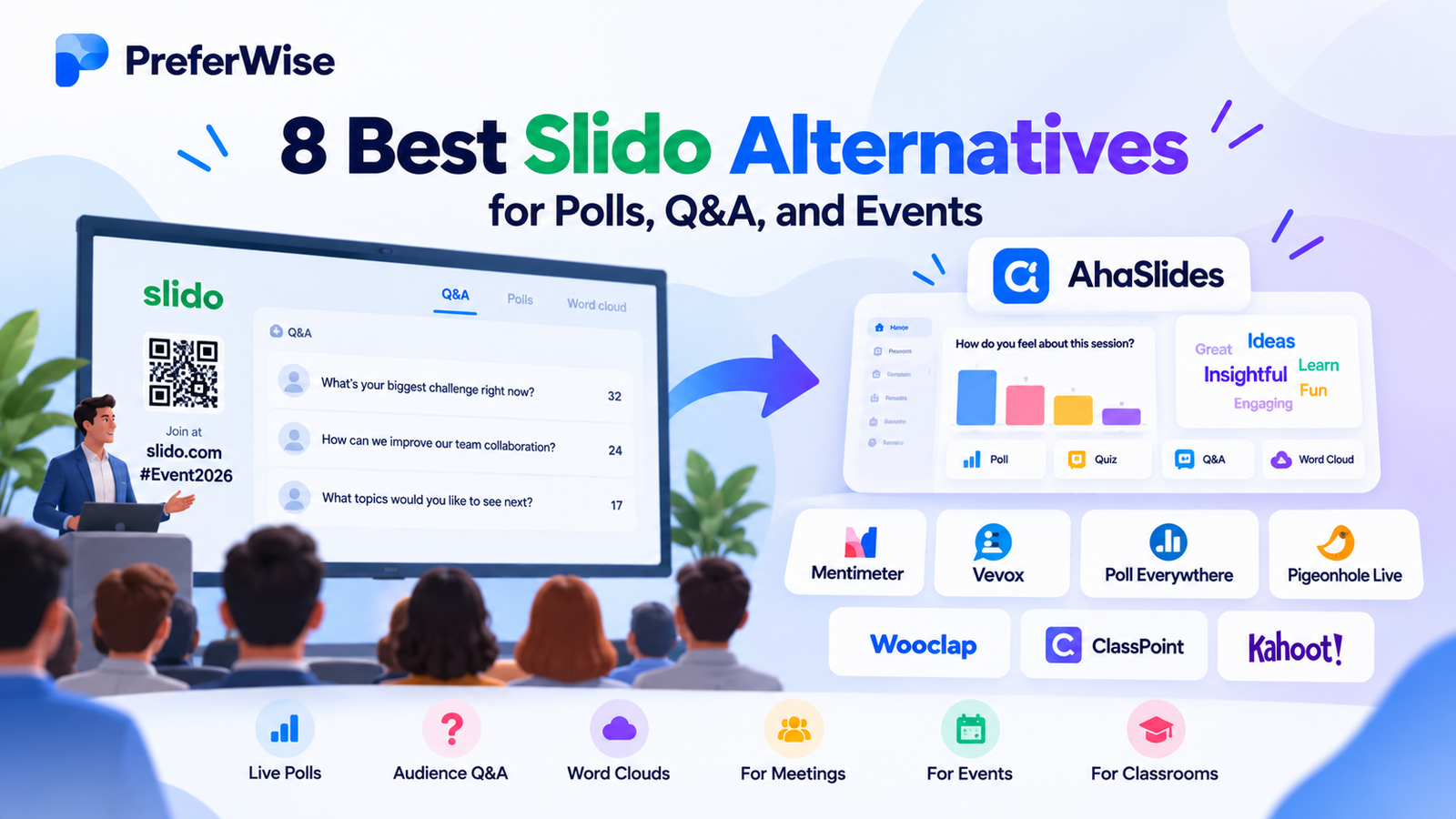
Looking for Slido alternatives for live polls, audience Q&A, meetings, or events? Compare eight tools for collecting feedback, engaging audiences, and making presentations more interactive. The right choice depends on whether you need moderated questions, live polling, conference engagement, classroom activities, or interactive slides.
Slido is best known for live audience Q&A, question upvoting, and polling during meetings, presentations, and events. But different teams need different things. Some want interactive slides and word clouds; others need structured conference Q&A, classroom activities, or competitive quizzes.
This guide compares eight Slido alternatives and Slido competitors by use case, key strengths, free-plan restrictions, and trade-offs. Not every tool is a direct replacement: a quiz platform, for example, may not provide the event moderation features you expect from a Q&A-first product.
Best for presentations
Mentimeter — live polls, word clouds, quizzes, and audience feedback.
Best for meetings
Vevox — polling and Q&A for meetings and audience feedback.
Best for conferences
Pigeonhole Live — event-oriented Q&A and audience engagement.
Best for interactive slides
AhaSlides — polls, quizzes, word clouds, and Q&A in presentations.
Compare the 8 best Slido alternatives
Filter the table by your main use case. Free-plan details are snapshots of provider documentation and can change by plan, region, and account type.
Showing all 8 tools.
| Tool | Best for | Key strengths | Free-plan notes | Main trade-off |
|---|---|---|---|---|
| 1. Mentimeter | Presentations and workshops | Polls, word clouds, quizzes, audience feedback | Free plan: up to 50 participants per month | Monthly allowance can restrict frequent use |
| 2. Vevox | Meetings and anonymous feedback | Live polling, Q&A, quizzes, integrations | Free account supports up to 100 participants; feature restrictions apply | Some advanced question formats require a paid plan |
| 3. Poll Everywhere | Polling inside presentations | Live responses and slide integrations | Free plan: up to 40 responses per poll | Audience size and reporting features can be limiting |
| 4. Pigeonhole Live | Conferences and panel Q&A | Structured questions, polls, event sessions | Starter free plan supports up to 100 participants | Advanced moderation and reports may require payment |
| 5. AhaSlides | Interactive presentations | Polls, quizzes, word clouds, Q&A | Free plan: up to 50 participants per presentation; unlimited events per month | Some slide, reporting, and moderation features are paid |
| 6. Wooclap | Education and active learning | Knowledge checks and classroom participation | Check current question and participant allowances | Education-focused features may be unnecessary for meetings |
| 7. ClassPoint | PowerPoint-based teaching | Interactive classroom activities inside PowerPoint | Verify Basic plan limits and supported features | Less suited to general conference Q&A |
| 8. Kahoot! | Gamified quizzes | Competitive quizzes and knowledge checks | Free access available; hosting limits vary by account type | Not a direct substitute for moderated, open-ended Q&A |
Important: A participant limit per presentation, a monthly participant allowance, and a response cap per poll are different measurements. Check the exact plan terms before using any tool for a large event.
1. AhaSlides
Best for combining live polls, quizzes, word clouds, and Q&A in presentations.
AhaSlides is a strong option when you want more than a standalone audience question queue. It lets presenters build interactive slide sessions around polls, quizzes, word clouds, and audience participation. That makes it relevant for workshops, training, classrooms, and team presentations.
Its presentation-first approach can be an advantage when you want to alternate between explaining a topic and asking the audience to contribute. It is less of a like-for-like replacement if your core requirement is complex event Q&A moderation.
Read our detailed AhaSlides vs. Mentimeter comparison if those are your two finalists. For more options, explore our guide to interactive presentation software.
Free plan and limitations
AhaSlides’ current pricing page lists a free plan with up to 50 participants per presentation and unlimited events per month. The free tier limits the number of quiz and unscored slides in a presentation. Paid plans add higher participant capacities and features such as analytics, exports, and Q&A moderation.
Pros
- Polls, quizzes, word clouds, and Q&A in one tool
- Good fit for interactive presentations
- Free plan available for trying the workflow
Cons
- Less event-specific than a dedicated Q&A platform
- Free tier limits some slide types per presentation
- Advanced moderation and reporting may require payment
Choose AhaSlides if: you want to combine live polling, quizzes, word clouds, and audience interaction without juggling multiple tools.
2. Mentimeter
Best for interactive presentations, workshops, and team sessions.
Mentimeter is one of the closest presentation-focused alternatives to Slido. It lets presenters collect live responses through polls, word clouds, quizzes, and other audience interactions while keeping the session centered on the presentation.
It is a good fit for training, workshops, meetings, and presentations where you want to gather opinions or check understanding as you go. Its visual response formats can make audience feedback easier to discuss with the whole room.
Free plan and limitations
Mentimeter’s official help documentation says the Free plan supports up to 50 participants per month. Paid plans have different participation terms, and quiz slides may have their own audience limits. Check the current plan comparison if you run sessions regularly or expect large audiences.
Pros
- Broad range of presentation-friendly interactions
- Useful for workshops and team feedback
- Visual results help presenters discuss responses
Cons
- Free monthly allowance can be restrictive
- Not solely focused on moderated Q&A
- Some reporting and export features require payment
Choose Mentimeter if: you want live polls, word clouds, and audience feedback integrated into a presentation.
3. Vevox
Best for workplace polling, Q&A, and anonymous audience feedback.
Vevox combines audience Q&A, live polling, and quizzes. It is worth considering when meeting organizers want to collect feedback from people who might not speak up during a live discussion.
Vevox also offers integrations for common presentation and meeting workflows, including Microsoft Teams, PowerPoint, and Google Slides. That can make it useful for organizations that want audience interaction to fit their existing tools.
Free plan and limitations
Vevox’s help centre states that its free account supports up to 100 participants and includes basic multiple-choice polling, quizzes, and Q&A. Advanced poll types, surveys, and some other features are excluded from the free tier.
Pros
- Combines polling, Q&A, and quizzes
- Useful meeting and presentation integrations
- Free account supports up to 100 participants
Cons
- Some advanced question types are paid
- Feature access varies by plan and sector
- May be excessive for simple one-question polls
Choose Vevox if: your meetings need audience Q&A, live polls, and structured feedback.
4. Poll Everywhere
Best for collecting live responses during presentations and lectures.
Poll Everywhere lets presenters ask questions and collect responses during live sessions. It is especially relevant for lectures, training, and presentations where audience interaction needs to happen directly within a slide-based workflow.
Depending on the activity, presenters can gather opinions, check understanding, and display audience responses. Compared with an event-first tool, its main appeal is the presentation workflow.
Free plan and limitations
Poll Everywhere’s official FAQ describes a permanent free plan with up to 40 responses per poll. This is a per-poll response limit, not a monthly participant allowance. Reporting, attendance management, archived results, custom branding, and email support are among the features not included in the free plan.
Pros
- Designed for live audience responses
- Useful for lectures and training sessions
- Free plan does not expire
Cons
- Free plan has a 40-response cap per poll
- Some reporting features are paid
- Less focused on conference session management
Choose Poll Everywhere if: you want to ask questions and display responses while presenting slides.
5. Pigeonhole Live
Best for conferences, panel discussions, town halls, and structured event Q&A.
Pigeonhole Live is designed around audience engagement at events. Organizers can use it for Q&A and polls across presentations or event sessions, making it a candidate for conferences with multiple speakers or panel discussions.
Its event-oriented setup can be more appropriate than a presentation-first app when organizers need to manage audience participation across a wider program.
Free plan and limitations
Pigeonhole Live’s official help centre describes a free Starter plan supporting up to 100 participants. Advanced features such as question filtering, insight report exports, and custom themes are not included in that tier.
Pros
- Designed for event and session participation
- Supports Q&A and polling activities
- Free Starter tier for smaller events
Cons
- Advanced moderation and reporting may cost extra
- May be more than a small team needs
- Plan choice depends on event requirements
Choose Pigeonhole Live if: you need structured audience questions and polls for a conference or town hall.
6. Wooclap
Best for classroom participation and active learning.
Wooclap focuses on helping educators and trainers involve learners through questions and knowledge checks. It is worth comparing with Slido if your main goal is to make lessons more participatory rather than manage audience questions at a conference.
Consider the types of classroom activities you need, how results are presented, and whether the platform fits your existing learning and presentation workflow.
Free plan and limitations
Check Wooclap’s current pricing page for the exact free-plan question allowances, participant limits, and reporting options. These are important if you plan to use it for recurring lessons or large training groups.
Pros
- Education-oriented participation activities
- Useful for checking learner understanding
- Relevant to teachers and trainers
Cons
- Not primarily a conference Q&A tool
- Plan limits need checking for regular classes
- May be unnecessary for simple workplace polls
Choose Wooclap if: learner participation and knowledge checks are the main priority.
7. ClassPoint
Best for teachers who want classroom interaction inside PowerPoint.
ClassPoint adds interactive teaching activities to a PowerPoint-focused workflow. It can suit teachers who already create and deliver lessons in PowerPoint and want to involve students without switching between separate tools.
ClassPoint is not a direct replacement for every Slido feature. It is a more specialized choice for classroom questions and activities than for managing open-ended audience Q&A across a conference.
Free plan and limitations
Review ClassPoint’s current Basic plan, class-size limits, supported activities, and PowerPoint compatibility before adopting it. If you need event moderation, audience question upvoting, or multi-session management, compare those requirements with a more event-focused product.
Pros
- Fits a PowerPoint-based teaching workflow
- Useful for classroom participation
- Can reduce switching between applications
Cons
- Primarily suited to teaching workflows
- Not a full event Q&A replacement
- Compatibility and plan limits need verification
Choose ClassPoint if: you teach with PowerPoint and want to add interactive classroom activities.
8. Kahoot!
Best for competitive quizzes, knowledge checks, and gamified learning.
Kahoot! turns questions into interactive quiz games. It is popular for classrooms, team activities, onboarding, and training where participants answer questions and compete on scores.
It is not the closest replacement when you need an anonymous question queue, moderated submissions, or upvoting during a town hall. It is a better fit when the session is built around quizzes and competitive participation.
If quiz tools are your priority, explore our guide to Kahoot! alternatives.
Free plan and limitations
Kahoot! provides free access for selected use cases, but hosting limits vary by account type and subscription. Verify the participant limit for your specific personal, education, or business account before organizing a large game.
Pros
- Engaging quiz and game format
- Useful for learning and team activities
- Free access available for selected use cases
Cons
- Not designed primarily for open-ended Q&A
- Participant limits vary by account and plan
- Competitive play may not suit every meeting
Choose Kahoot! if: you want quiz-led engagement rather than a moderated audience discussion.
Slido alternatives: how to choose the right Slido competitor
The best option depends on what your audience needs to do. Use these recommendations as a shortlist, then verify the specific features and plan limits you need.
Vevox or Mentimeter
Compare Vevox for Q&A and meeting feedback with Mentimeter for presentation-led interaction.
Pigeonhole Live
Review event structure, moderation, participant capacity, and reporting before switching.
AhaSlides or Mentimeter
Compare slide workflows, question types, audience limits, and result exports.
Wooclap or ClassPoint
Consider Wooclap for active learning or ClassPoint for PowerPoint-based lessons.
Poll Everywhere
Check the response cap and integrations if you need to collect answers during a presentation.
Kahoot!
Choose a quiz-oriented product when competition and knowledge checks are central.
Seven things to check before paying
- Audience limits: distinguish a per-event participant cap from a monthly allowance.
- Response limits: check whether a cap applies to each poll, each presentation, or each month.
- Question formats: confirm anonymous Q&A, upvoting, polls, word clouds, quizzes, and open-text responses.
- Moderation: check whether organizers can review, hide, or prioritize audience questions.
- Integrations: verify compatibility with PowerPoint, Google Slides, Teams, Zoom, or your event platform.
- Reporting: determine whether results can be exported or shared after the session.
- Billing: compare monthly versus annual pricing, presenter seats, team plans, and event-specific options.
Our recommendation: For audience Q&A and upvoting, prioritize tools that explicitly support those workflows. For polls, quizzes, word clouds, and interactive slides, start with Mentimeter or AhaSlides. For conference sessions, evaluate Pigeonhole Live; for quiz-led sessions, consider Kahoot! instead of paying for features you won’t use.
Want to compare a wider range of presentation tools? Explore our guide to the best interactive presentation software. If you’re evaluating quiz platforms, read our Kahoot! alternatives guide.
Frequently asked questions
What are the best Slido alternatives in 2027?
Mentimeter, Vevox, Poll Everywhere, Pigeonhole Live, AhaSlides, Wooclap, ClassPoint, and Kahoot! are eight options worth comparing. The right choice depends on whether you need Q&A, live polling, conferences, presentations, or classroom quizzes.
Which Slido alternatives have a free plan?
Several tools in this list offer free tiers or free access for selected use cases, including Mentimeter, Vevox, Poll Everywhere, Pigeonhole Live, AhaSlides, and Kahoot!. Limits vary by audience size, monthly usage, question type, moderation, and reporting.
What is the best free Slido alternative?
It depends on your use case. Compare Vevox or Pigeonhole Live for Q&A, Mentimeter or AhaSlides for presentations, and Poll Everywhere for slide-based polling. Check each free plan against your audience size and required features before deciding.
Which alternative is best for anonymous Q&A?
Start by evaluating Vevox and Pigeonhole Live. Confirm the exact anonymity, moderation, and upvoting features in the plan you are considering; anonymous polling and anonymous question submission are not necessarily the same thing.
Which Slido competitor works best with PowerPoint?
ClassPoint is worth considering for teachers who want classroom activities inside PowerPoint. Poll Everywhere, Vevox, and Slido also have presentation-oriented workflows or integrations, so compare the features you actually use.
Are monthly participant allowances the same as event limits?
No. A monthly allowance limits usage across a billing period, a participant cap limits the audience for a session or presentation, and a response cap may apply to a single poll. Check each limit separately.
Is Kahoot! a direct Slido replacement?
Not for every use case. Kahoot! is best suited to gamified quizzes and knowledge checks. For moderated Q&A, question upvoting, and meeting feedback, compare tools built around audience questions and polling.
Should I choose an annual subscription or a one-time event plan?
Annual billing may suit teams that run sessions throughout the year. For a single conference, check whether the provider offers an event-specific plan. Compare the duration, participant capacity, support, and included features.
Slido alternatives: final verdict
Mentimeter and AhaSlides are strong starting points for interactive presentations. Vevox is worth evaluating for meetings and audience feedback, while Pigeonhole Live is a candidate for conference Q&A. Poll Everywhere suits slide-based polling; Wooclap and ClassPoint focus more on education, and Kahoot! is the quiz-oriented option.
Before switching from Slido, test the features you actually need and compare participant, response, and monthly limits separately. A free plan that works for a small workshop may not suit a large conference or recurring company event.
How we evaluated these tools
We compare tools on pricing (including plan limits and add-ons), features, AI and automation, integrations, ease of use, support and fit for the use case. We use vendor pricing and documentation pages, note when information was checked, and do not let commercial relationships decide the order. Read our full ranking methodology.